
Server Plugins
Sending notifications
Learn how to send notifications (similar to item pickup) with your Hytale Plugin
Written by BeerBag
Overview
In this guide, you will learn how to send notifications to players, similar to the notification received when picking up an item from the ground.
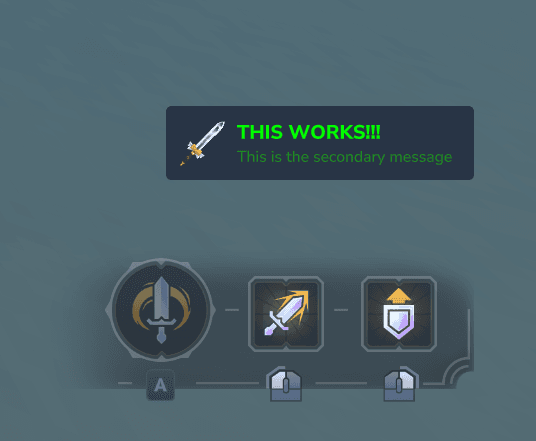
Structure of a Notification
A notification consists of three main components:
- Primary Message: The main
Messagedisplayed in the notification. - Secondary Message: Additional
Message, displayed below the primary message. - Icon: An item icon that visually represents the notification, shown on the left side.
Sending Notifications
You can use the NotificationUtil class to send notifications to players.
You will need access to the PacketHandler of the player, which can be obtained
from the PlayerRef using the getPacketHandler() method (in this example,
we get the PlayerRef from the Universe using the player's UUID).
public static void onPlayerReady(PlayerReadyEvent event) {
    var player = event.getPlayer();

    var playerRef = Universe.get().getPlayer(player.getUuid());
    var packetHandler = playerRef.getPacketHandler();

    var primaryMessage = Message.raw("THIS WORKS!!!").color("#00FF00");
    var secondaryMessage = Message.raw("This is the secondary message").color("#228B22");
    var icon = new ItemStack("Weapon_Sword_Mithril", 1).toPacket();

    NotificationUtil.sendNotification(
        packetHandler,
        primaryMessage,
        secondaryMessage,
        (ItemWithAllMetadata) icon);
}