


Density Generation Concepts
Explores the basic concepts of world generation in the context of Hytale.
Generative Noise
Hytale's terrain generation is founded on this concept of Density fields, essentially these are maps of decimal values that are used to define the terrain's shape. Density fields can be built from sources of procedural noise (such as Simplex and Cellular), contextual data and processing nodes.
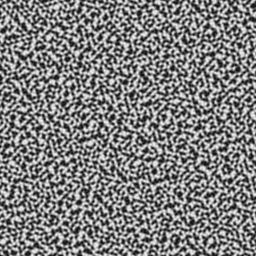
Noise based terrain
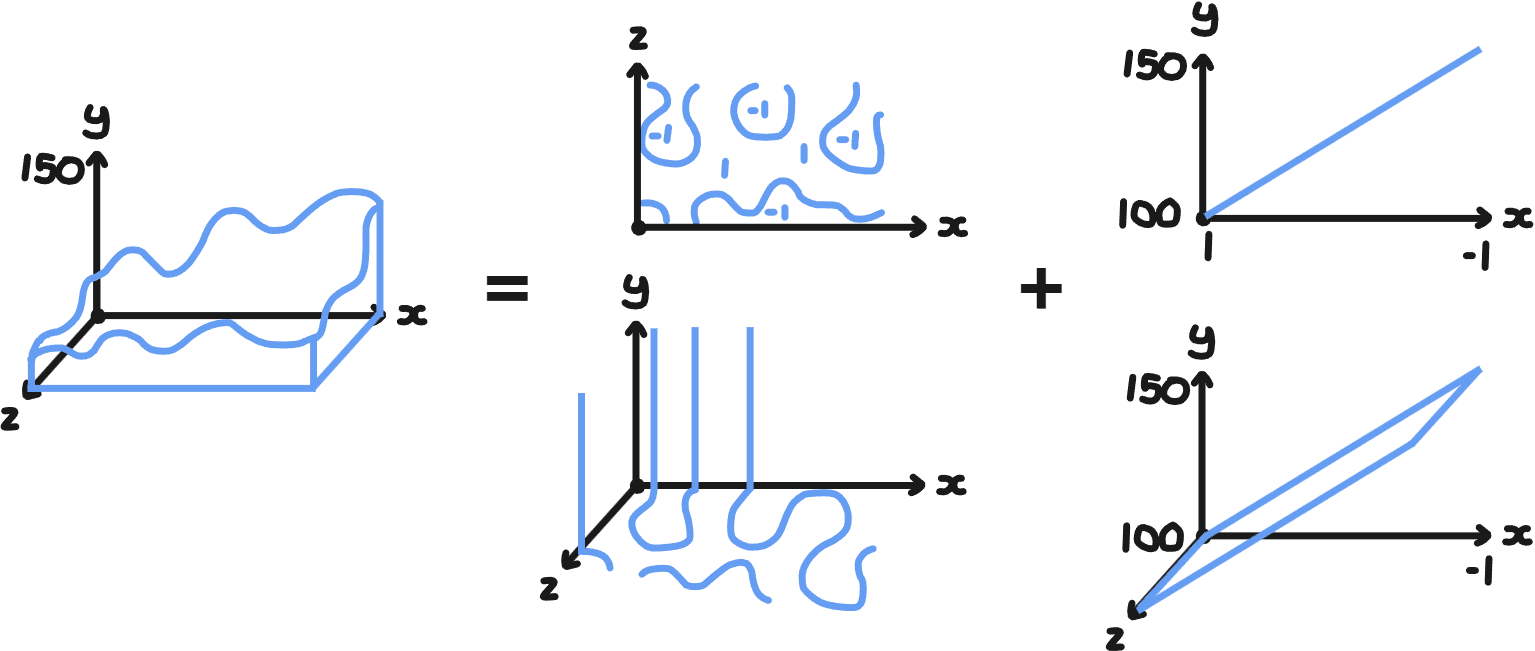
A basic terrain shape can be created by combining a set of heights with a noise field, this formula creates most of the terrain in Hytale. This is an important concept to understand as its foundational to making terrain.
Terrain
3-dimentional terrain output.
Simplex 2D
Generative 2-dimentional noise field.
Y-Curve
2-dimentional curve drawn between a height differential.
Solidity
Density generates a range of values, typically between 1 and -1. Some of these values will become our terrain and others will become the negative space, or air, around our terrain.
Density
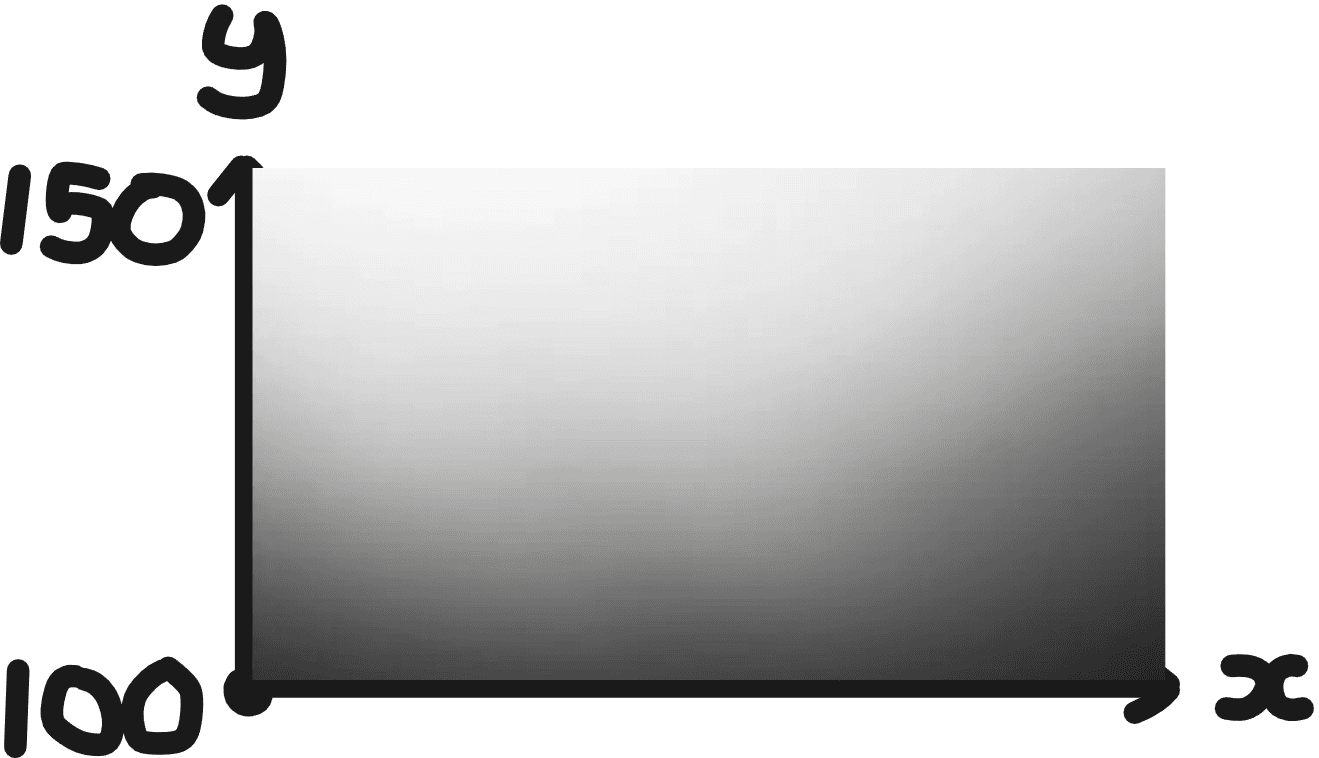
Density values are calculated at each coordinate, you can imagine this is like a cloud
Solidity
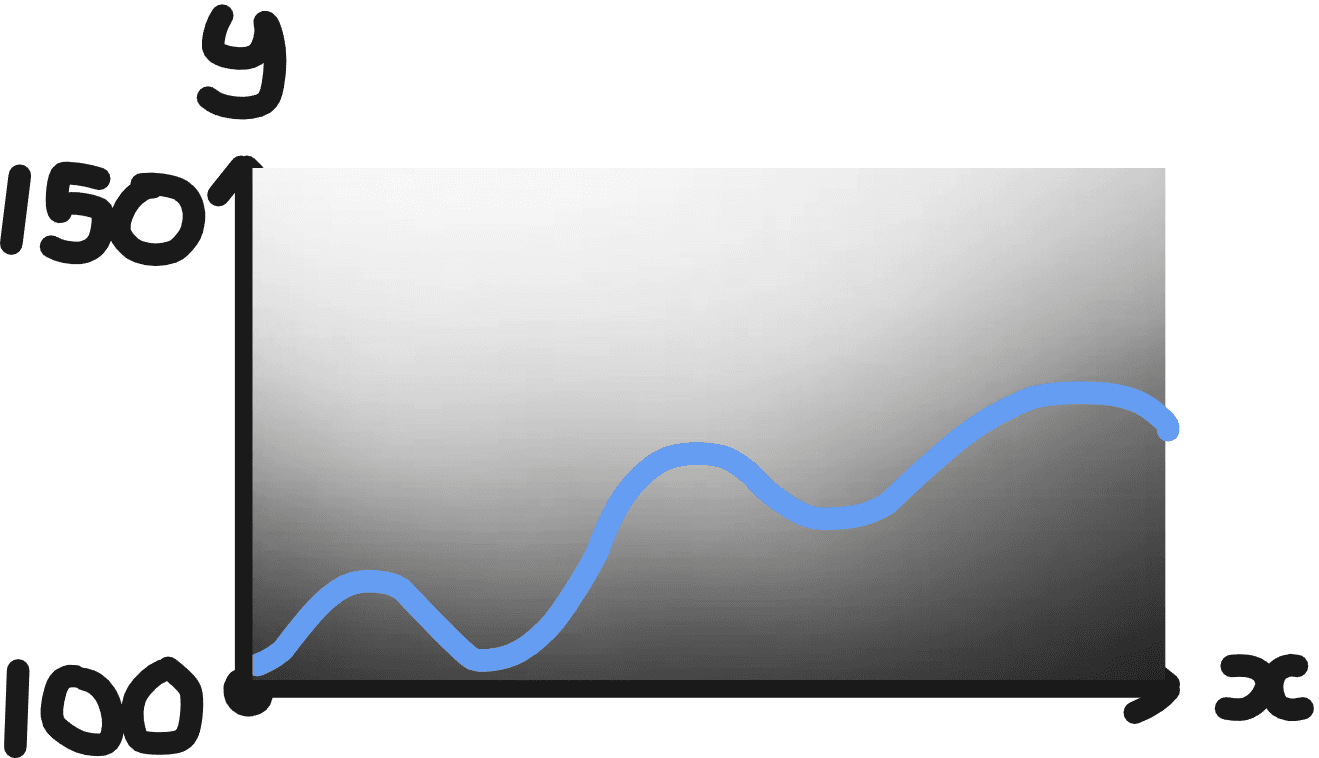
Typically, we interpret positive values account for solid terrain, and negative values the empty space
Function Nodes
All of our Density fields can be manipulated with a range of function nodes provided in our node editor. These have a range of functionality that can be used to make interesting terrain shapes - a list of these can be found below.
Density is calculated from the sum, this can be thought of like a traditional
math equation f(x) = z + y
Below we cover some basic examples that are important to understand when creating some of your first terrain.
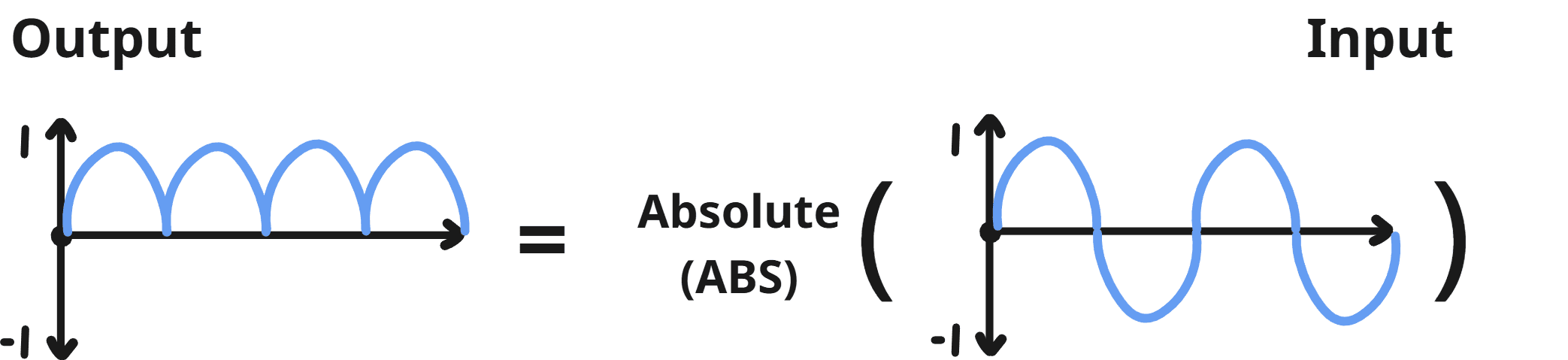
Absolute
In this example, absolute makes all negative values positive. This makes a kind of ridged shape on a simplex noise field.
Normalization
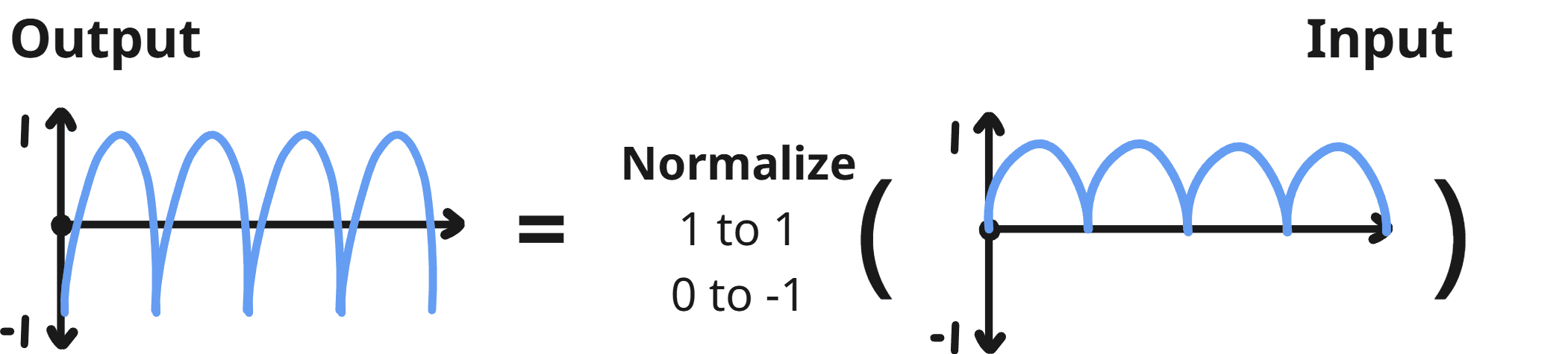
Its important to understand how to manipulate a noise field into a new range. This is because some functions affect the range of your field.
In this example we are normalizing our previous example so that half of the field is empty and half solid. This is done by moving our 0 value to -1, stretching the field to our new range.
Currently the Hytale Node Editor does not support noise visualization.