


Modtale
Complete guide to publishing and managing your Hytale mods on Modtale.
Publishing Your Mod on Modtale
Modtale is the Hytale Community Repository for discovering mods, asset packs, worlds, and modpacks.
This guide will walk you through the complete process of publishing your mod.
Prerequisites
Before you start, make sure you have:
- A compiled
.jarfile of your plugin, or.zipof your asset pack - A description of your mod's features
We also recommended:
- High-quality screenshots or images of your mod in action
- A clear logo or icon (recommended size: 512x512px)
- Any dependencies or requirements documented
Step-by-Step Publishing Process
1. Account Setup
Sign in to Modtale using your preferred method. If you don't have an account, create one first.
2. Start Creating
Click on the "Create" button in the navigation bar or go directly to the upload page.
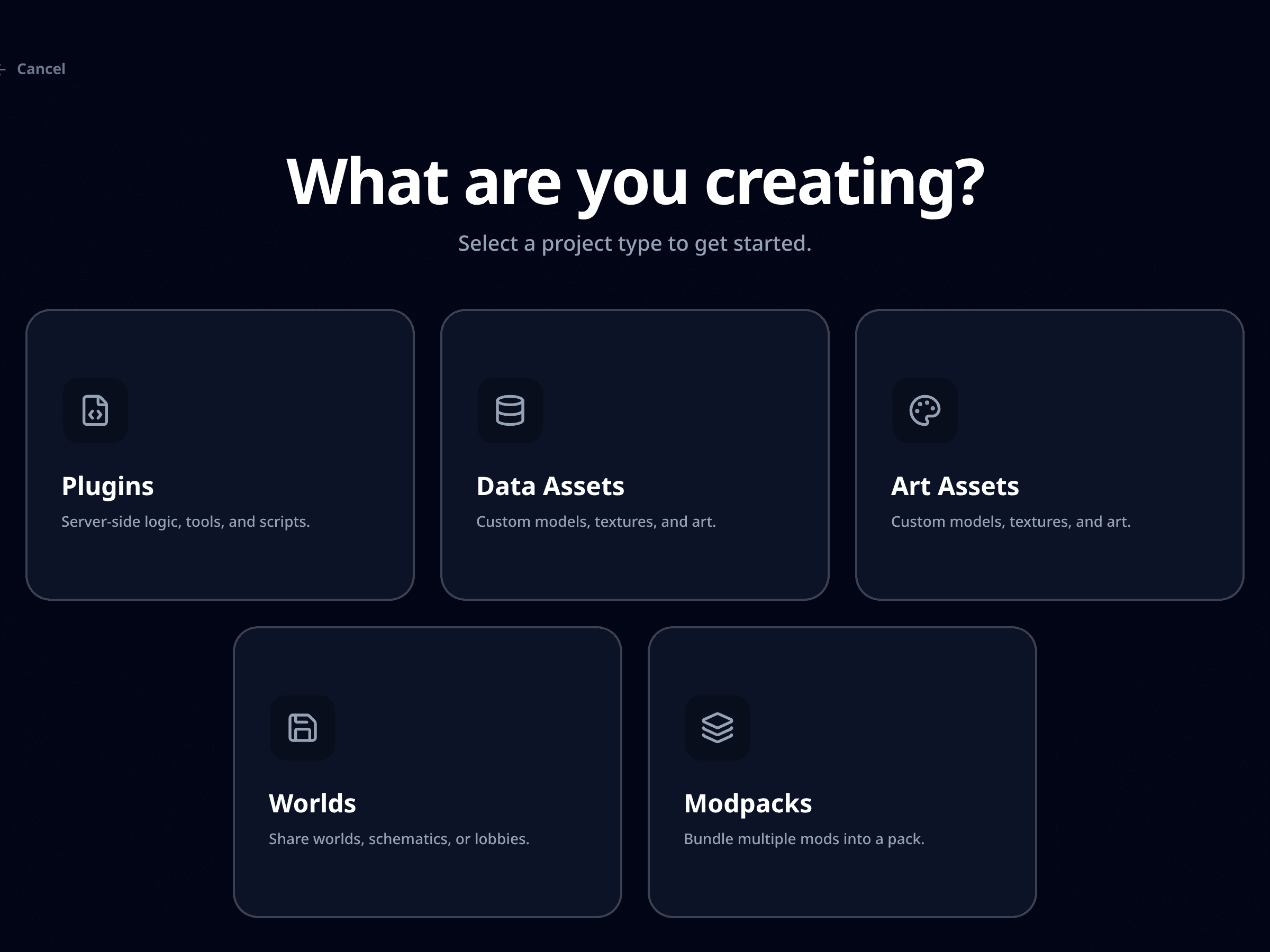
3. Choose Content Type
Select the appropriate content type for your submission:
- Server Plugins - For Hytale server-side plugins and modifications
- Data Assets - For custom data packs, loot tables, and other data-driven content
- Art Assets - For texture packs, models, and other artistic content
- Worlds - For custom Hytale worlds
- Modpacks - For curated collections of mods and assets
4. Basic Information
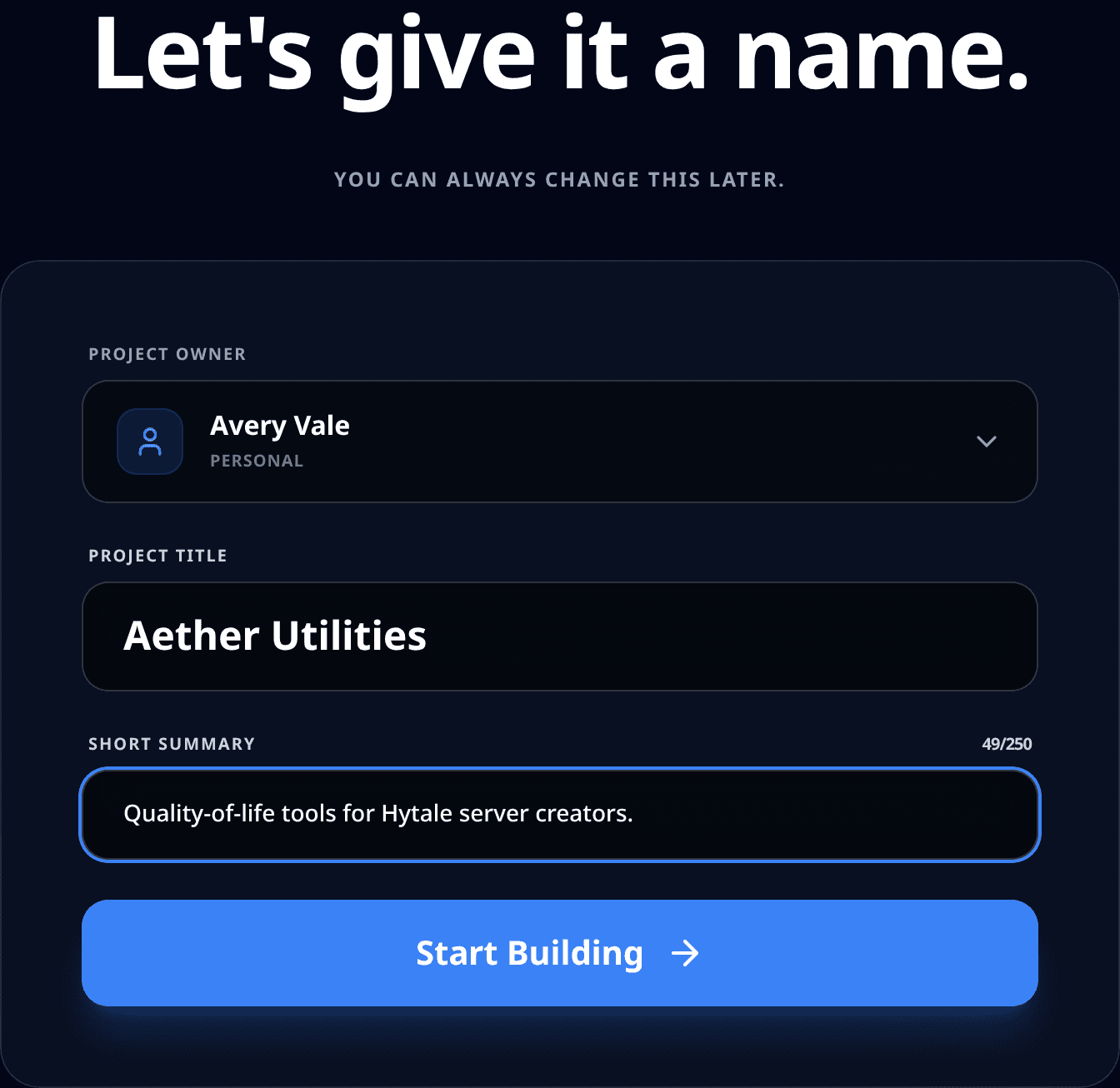
Fill in the essential details:
- Name: Choose a clear, descriptive name for your mod
- Summary: Write a brief description (1-2 sentences, 250 char max) that explains what your mod does
5. Project Configuration
Now you're on your project's management page. Here you can:
Upload Files
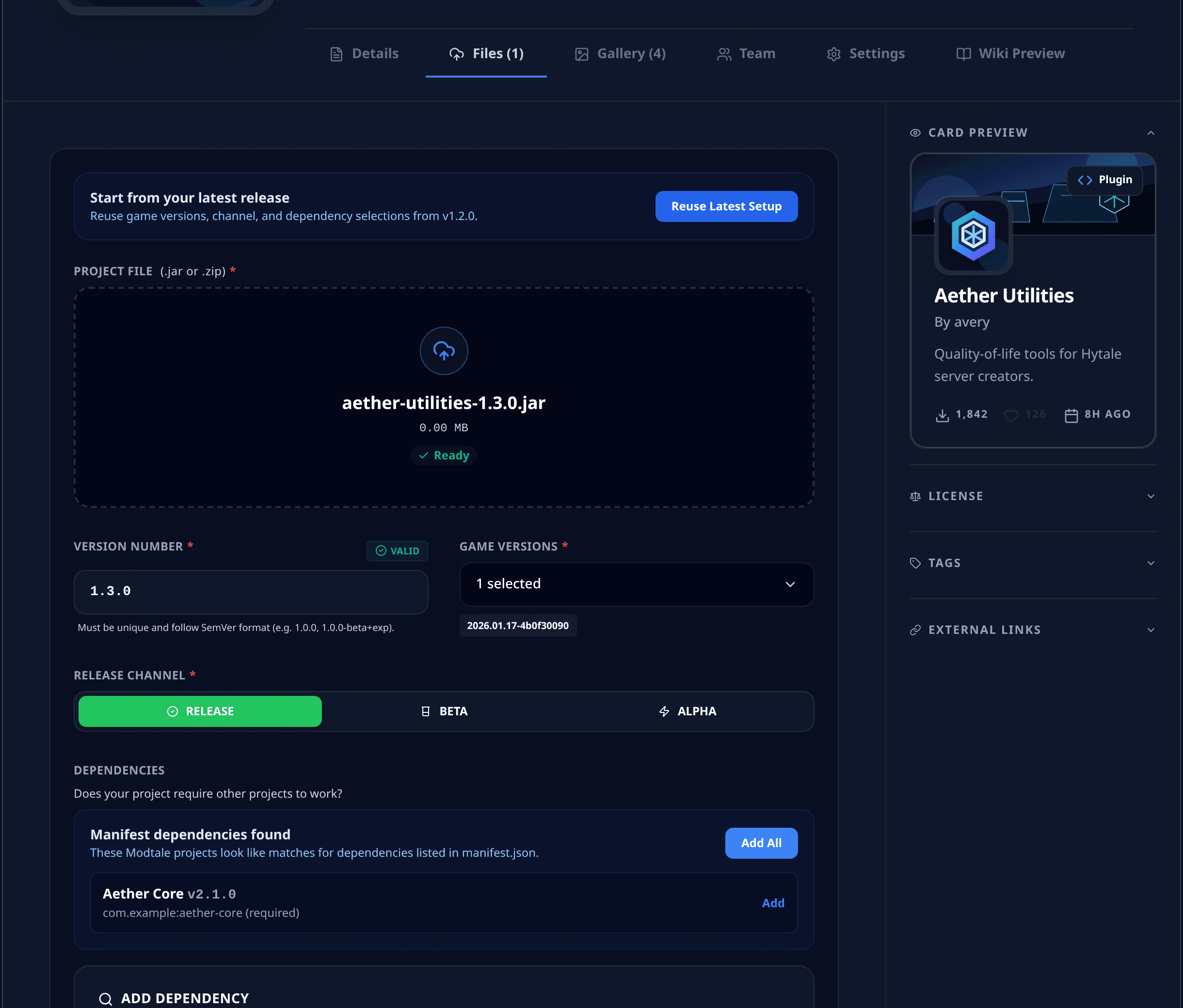
Navigate to the "Files" tab and upload your .jar or .zip file:
- Drag and drop your file or use the upload button
- Add version notes describing changes and new features
- Mark release type (Release, Beta, Alpha)
Customize Your Project
- Logo: Upload a high-quality logo (512x512 recommended)
- Banner: Upload a banner for your page (1920x640 recommended)
- Screenshots: Add multiple screenshots showing your mod in action
- Description: Write a comprehensive description using Markdown formatting
- Links: Add links to your source code, Discord server, or documentation
- Tags: Add relevant tags to help users find your mod
- License: Indicate what license your mod uses from a selection of common licenses, or use a custom license
Best Practices
Documentation
Always include comprehensive documentation in your mod description. Users should understand what your mod does, how to use it, and any special requirements.
Version Notes
When uploading new versions:
- You must adhere to SemVer
- Clearly document all changes and new features
- Include bug fixes and known issues
- Mention any breaking changes or migration steps
- List new dependencies or requirement changes
Visual Appeal
- Use high-quality screenshots that showcase your mod's features in the gallery
- Create an eye-catching logo that represents your mod
- Consider adding a banner image for your project page
Community Engagement
- Respond to comments and feedback promptly
- Consider creating a Discord server for community support
- Regularly update your mod based on user feedback
After Publishing
Automated updates
- You can configure your project to automatically upload new versions using Github Actions, Gradle, Maven, or Go. See examples here
Monitoring Your Project
- Check the analytics to see download statistics
- Monitor comments and reviews
- Keep track of bug reports and feature requests
Marketing Your Mod
- Share your mod on relevant Hytale communities
- Create showcase videos or tutorials
- Engage with other modders and creators
Remember to keep your mod updated for new Hytale versions and maintain compatibility with Hytale's modding framework to maximize your audience reach.
Getting Help
If you encounter any issues during the publishing process:
- Join their Discord community for support
- Contact the Modtale team directly through their support channels