
Animated Block Textures
Learn how to attach a .blockyanim to a block
So, you want to make your blocks feel more alive through animations, do you?
Now for the most part this is the exact same as Creating custom blocks.
Prerequisites
This is NOT a guide on animating or texturing or even using BlockBench, why? Because I don't know how to do that.
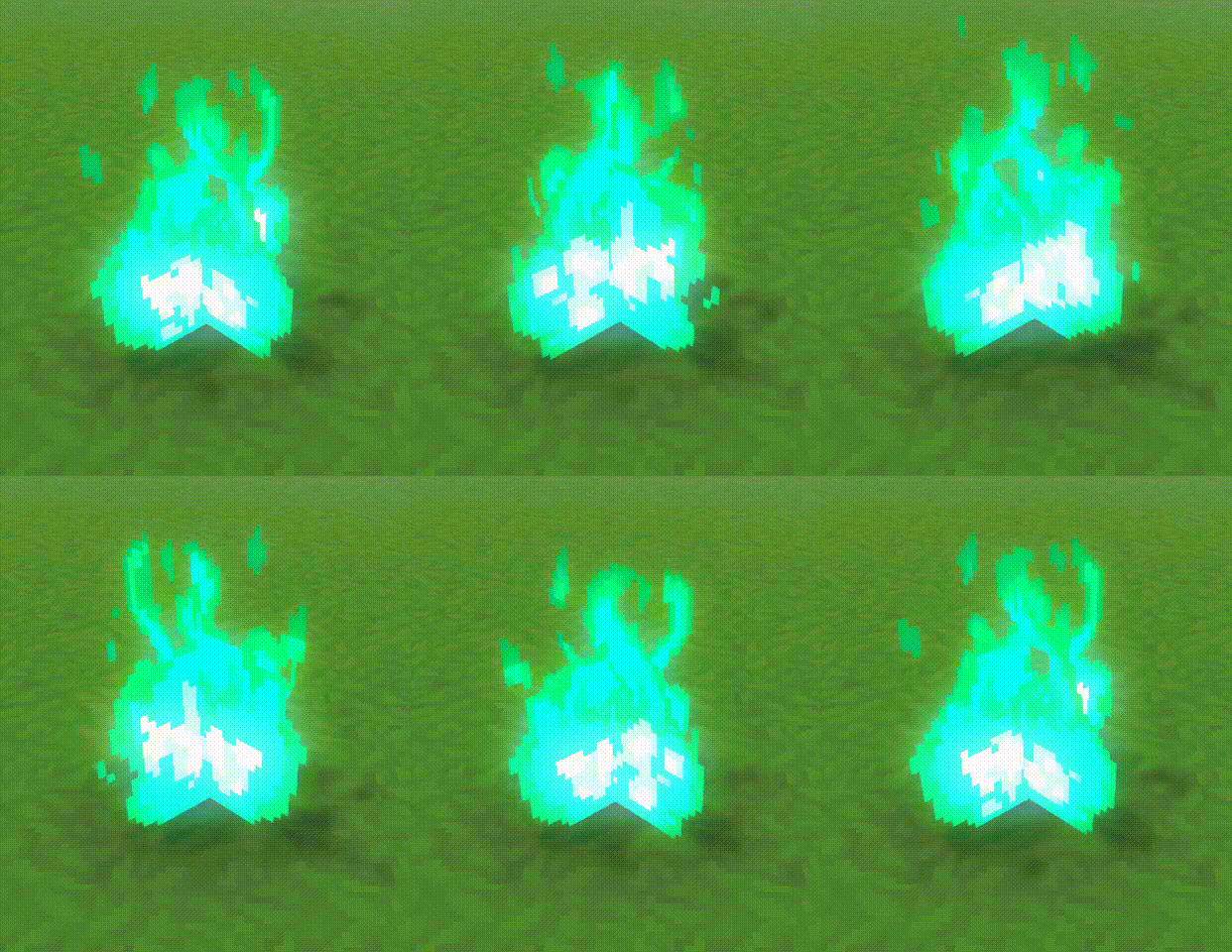
The only thing we will be doing is taking the fire texture, changing the color, and applying it to our new fire block.
Setup
To start, you're obviously going to want to grab the Common/VFX/Fire/Fire.png file. How you do it is up to you, in the Asset Editor you'll need to switch to the Common tab.
I'll assume you know how colorize or change the hue of an image, so go ahead and do that now and save it as Blue_Fire.png.
The other assets used in this guide are Common/VFX/Fire/Fire.blockymodel and Common/Blocks/Animations/Fire/Fire_Burn.blockyanim (both renamed to Blue_Fire) but since we won't be changing them it's probably fine to leave them. I will reference the Blue_Fire versions as a way to point out what should be custom assets.
I will also duplicate Server/Item/Item/Deco/Deco_Fire.json and call it Deco_Blue_Fire.json.
Applying the changes
The Deco_Blue_Fire block is actually just a particle emitter, however we will not be using particles, so lets start by removing them in Block > Particles.
Next we want to set the Block Model (called CustomModel in JSON) to VFX/Blue_Fire/Blue_Fire.blockymodel and Block Model Textures (CustomModelTexture in JSON) to
[
    {
        "Texture": "VFX/Blue_Fire/Blue_Fire.png",
        "Weight": 1
    }
]
Finally, we will apply the .blockyanim to our model, this is done through the Block Model Animation property (CustomModelAnimation in JSON) and the value should be Blocks/Animations/Blue_Fire/Blue_Fire_Burn.blockyanim.
Final Code
With that your new blue fire should be done. Here is the minimal JSON for our blue fire.
There is an additional Looping and RequiresAlphaBlending property that I have not gone over, however I hope it is self-explanatory.
{
  "BlockType": {
    "DrawType": "Model",
    "CustomModel": "VFX/Blue_Fire/Blue_Fire.blockymodel",
    "CustomModelAnimation": "Blocks/Animations/Blue_Fire/Blue_Fire_Burn.blockyanim",
    "CustomModelTexture": [
      {
        "Texture": "VFX/Blue_Fire/Blue_Fire.png",
        "Weight": 1
      }
    ],
    "Looping": true,
    "RequiresAlphaBlending": false
  },
  "PlayerAnimationsId": "Block"
}Next steps
Now that you know how to attach an animation to a block, try adding it to a block state.