


Optimization (WIP)
Living document about performance optimization in world-gen content.
Performance Optimization
The world generator is designed to give users absolute control so they can freely create the worlds they want. However, this also gives users the freedom to make extremely resource-intensive biomes. This means users must understand which features and approaches are more costly, and how to use them to get the best performance out of their world-gen content.
In this document, we present some high-level techniques for improving performance and highlight potential pitfalls. Please refer to the technical documentation for more detailed information about the nodes discussed here. We recommend that users try the different techniques in their content and use the performance report to measure improvements.
This is a living document that is meant to be updated and fleshed out over time.
Performance Report
World-gen prints a performance report to the logs at a few configurable sample-size intervals. Once a certain number of chunks are generated, it averages the performance stats for all of them and prints a report.
It can help to focus your efforts on the parts that take the longest time in your performance report.
To view the report, you must open the world's logs:
- Right-click on your world in the world selection menu.
- Open the world's folder.
- Navigate to
logsand open the latest log.
Metrics Breakdown
In the report, you'll see a lot of information. I want to call out the parts you have the most control over by optimizing world-gen assets:
Sample Count: 500The number of chunks generated and averaged in this report. We recommend using reports with a Sample Count of at least 500 for better accuracy.
Total: # msThe total time it takes world-gen to generate and transfer the contents of a chunk to the world.
Content Generation: # msThe time it took to only generate the contents, excluding the time it takes to transfer the generated data to the game world. This is the value you have most control over by optimizing world-gen assets.
ExampleStage (Stage #): # msThe time it takes each stage to complete. Stages run sequentially, one after the other. This metric is affected by two factors that compound each other:
- The stage's output size.
- The larger the output size, the more expensive this will be.
- The output size metric is listed in the Context Dependency part of the report.
- The output size is determined by all the stages with a number greater than this one. For example, Stage 2's output size is determined by Stages 3, 4, 5, 6, etc.
- The cost of the content itself. In other words, how expensive is the content it is trying to generate? Optimizing its assets will decrease this metric. Here's what content assets affect each stage's performance:
- BiomeStage
- The World Structure's Biome map Density. This is generated in 2D so it's relatively cheap, but it can become significant with larger output sizes.
- BiomeDistanceStage
- The World Structure's DefaultTransitionDistance and MaxBiomeEdgeDistance values.
- TerrainStage
- The WorldStructure's DefaultTransitionDistance and MaxBiomeEdgeDistance values because in the transition area between Biomes the terrain is computed twice: once for each Biome.
- Each Biome's terrain Density.
- Each Biome's Material Provider.
- PropStage #
- The Prop Runtimes with index # inside each Biome.
- TintStage
- Each Biome's Tint Provider.
- EnvironmentStage
- Each Biome's Environment Provider.
- BiomeStage
ExampleStage (Stage #):
    Output Size (Buffer Column): {x=24, z=18}
    Output Size (Chunk Column): {x=6.0, z=4.5}
The Output Size metric tells us how large of an area each stage must generate per call. In this example, the Terrain Stage outputs an area of 6 by 4.5 chunks. World-gen reuses as much of it as possible, so it normally doesn't end up having to generate the entire area, but larger areas still result in more performance cost. Decreasing the Output Size metric will improve that stage's performance metric.
- Right now the main contributor to the Output Size metric is the total size of Props in the Prop stages. See the Props section of this document.
- Another contributing factor for BiomeStage is the DefaultTransitionDistance and MaxBiomeEdgeDistance values of the World Structure.
Important tips when interpreting the report:
- Use reports that have a Sample Count of at least 500 for accuracy.
- The contents of the explored location in the world can impact the stats. For example if you happen to only explore an area containing cheap Biomes the values could look better than they are for the entire world. To mitigate this:
- Explore more areas of your world.
- Use the same seed and location across different asset changes to measure improvements.
- The computer's CPU and RAM specs and thermals impact these metrics directly. They must be accounted for when comparing reports.
- The first chunk after teleportation or world creation will take longer than average because it must initialize the context from zero. Following chunks will see faster performance.
Terrain
Focus Expensive Density by Leveraging Mix
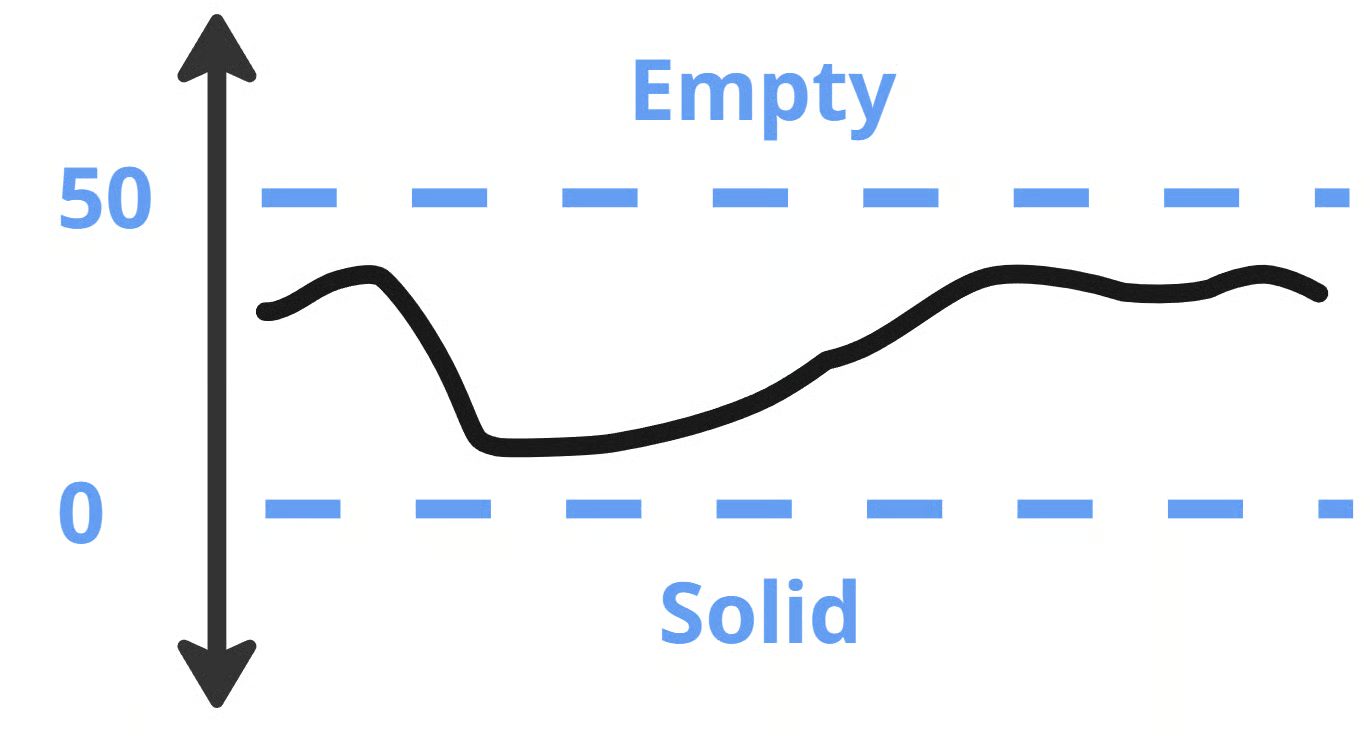
Density is calculated for every block in the world. You can reduce the cost of the expensive parts of your Density configuration by limiting it to the specific regions that require it. You can combine doing this vertically and horizontally to isolate an expensive field to the smallest region possible. Some example applications:
|  |
Reduce Density Samples
Calculating density fields for every coordinate can be wasteful when it's not required. We recommend using YSampled to reduce the number of vertical calculations. This works well for more expensive Density fields where a higher sample resolution isn't visually apparent. However, for more detailed fields, the sampling distance may need to be reduced. You can also use a hybrid approach where you mix between the sampled and non-sampled versions of a field in different areas, based on how much detail you need, by using a Mix. Some example applications:
| 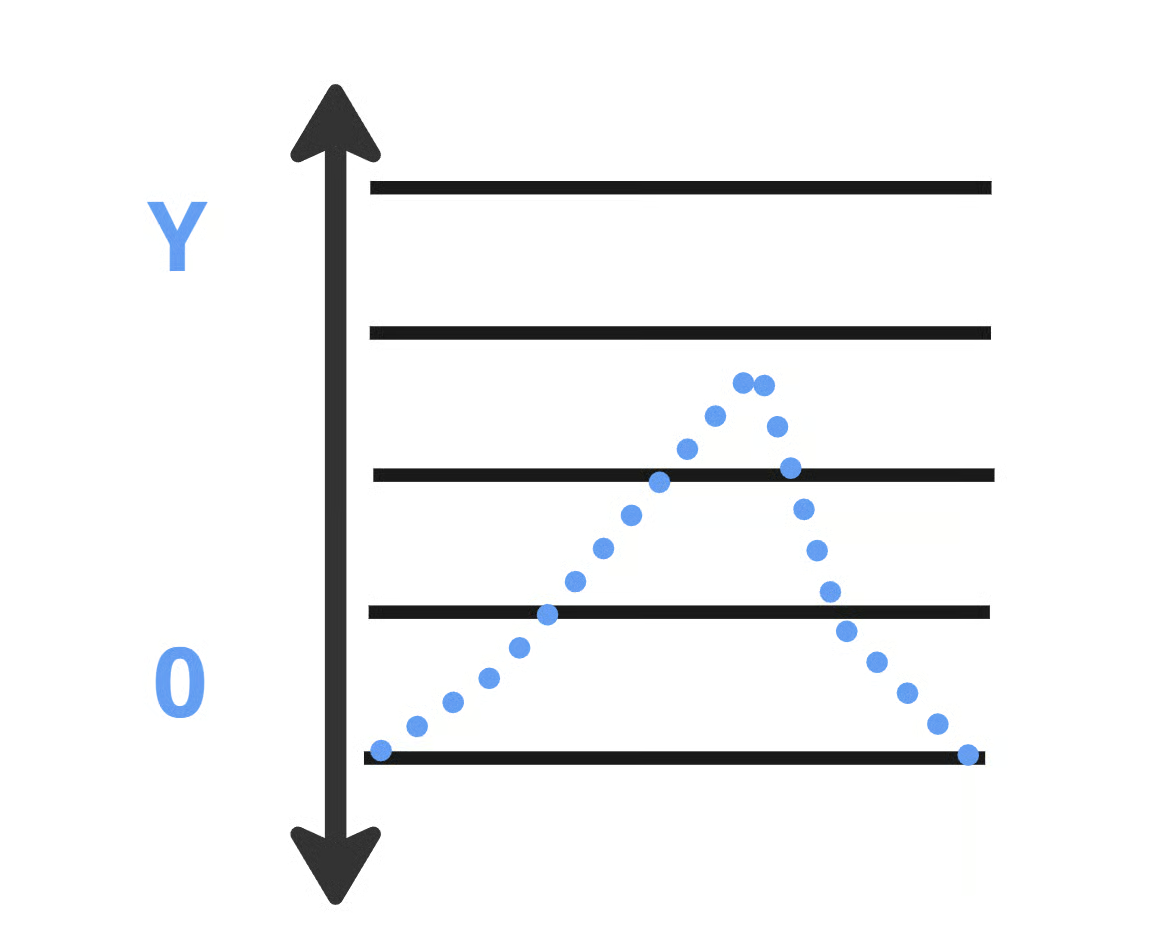 |
We recommend a SampleDistance of 8 for the biggest performance improvement, and a SampleDistance of 2 in areas that require higher levels of detail. Feel free to experiment and measure different values to find what works best for your content.
Caching
The Cache Density remembers a limited number of recent coordinates and their Density values. This node reduces calculations in situations where the same coordinate is requested consecutively.
Where to use:
- This is already automatically included in the SimplexNoise2d and CellNoise2d nodes, no need to add it there.
- On the right side of YOverride nodes.
- As the Density child of the CellValue ReturnType. Depending on the PositionsCellNoise setup, it could benefit from larger Cache capacities.
- At the root of ChoiceDensity in the Density ReturnType. Depending on the PositionsCellNoise setup, it could benefit from larger Cache capacities.
Materials
Like Density fields, Material operations are run for every coordinate in the world. This is particularly expensive when using Density in your Material Provider nodes. To reduce the performance impact of those Material Providers, we can limit the region they're applied to. Do this by putting expensive nodes as far to the right as possible in the node tree, and adding nodes as far on the left side of the node tree that limit the area.
Simple Horizontal Material Provider reduces the height range for its children. | 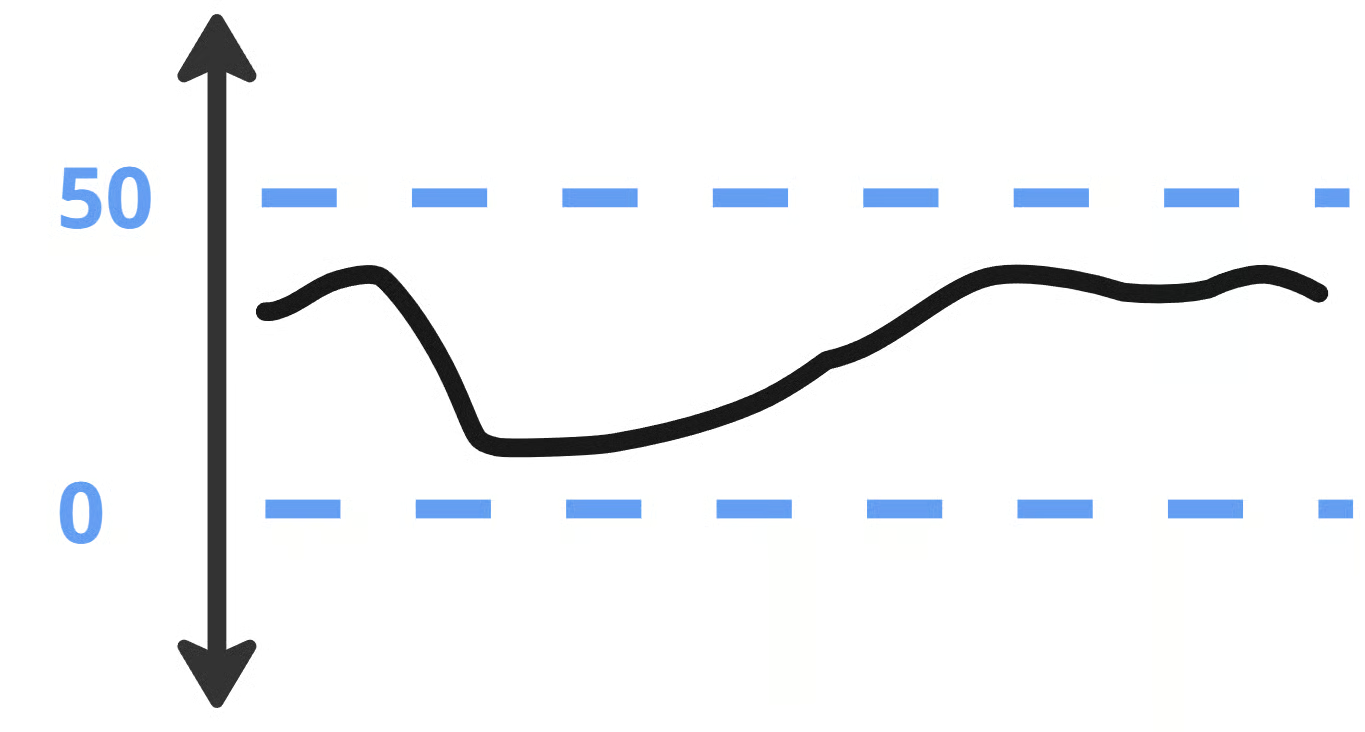 |
Space and Depth Material Provider reduces the depth range for its children. | 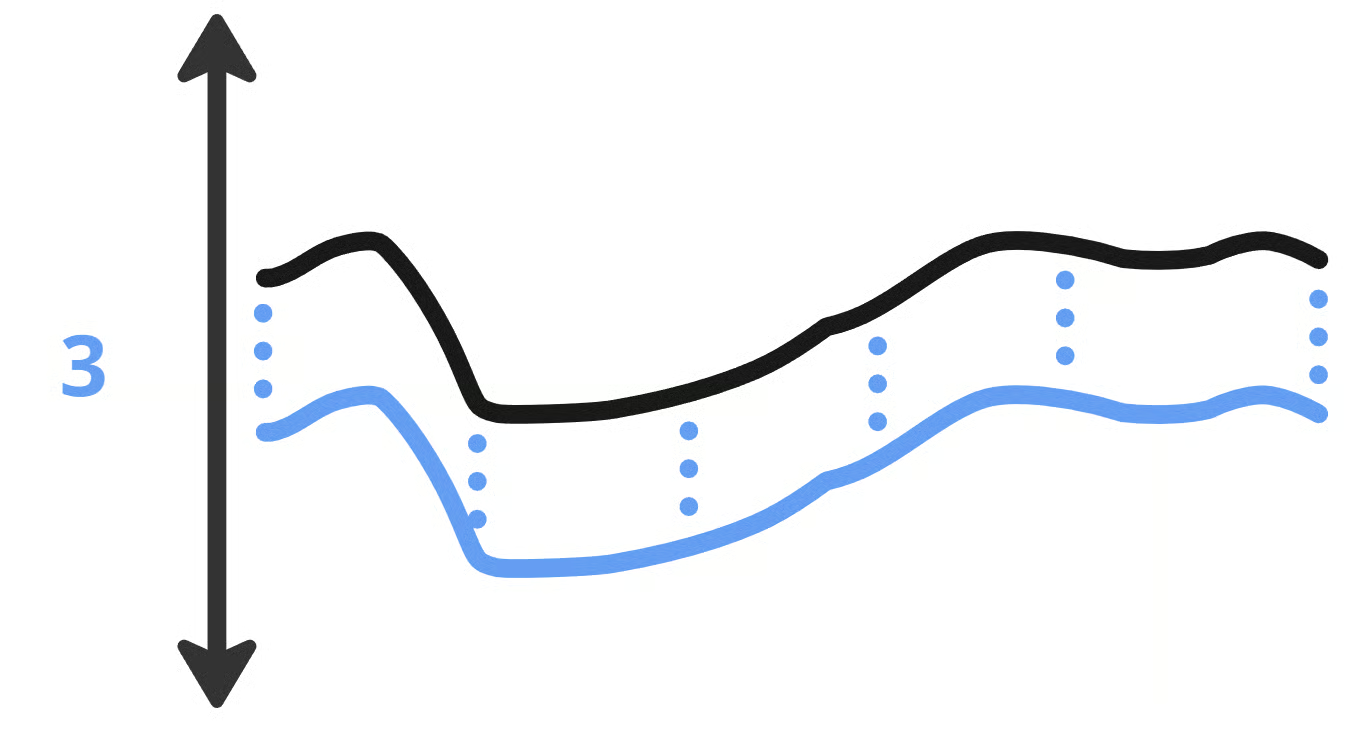 |
- You can also use the FieldFunction Material Provider with a cheap Density mask to limit an expensive Material Provider's effect to a specific area of the world.
- Use the Terrain Density node when you want to reference the terrain's Density field for calculating a Gradient within your Material Providers. The Terrain Density node reuses the existing terrain Density buffers, which makes it much cheaper than importing the root of your terrain's Density.
Props
Runtimes let Props share context with each other. This increases the context dependency for each runtime. Each Runtime after the first increases the performance impact on all lower Runtime stages and the non-Prop stages. The horizontal size of the largest Prop in a Runtime largely determines that Runtime's performance. A Prop's total size is the sum of its Scanner, Pattern, and Content. Reducing the horizontal size of any of those three will reduce the total size.
Some techniques to improve performance:
- Keep the horizontal size of each Runtime as small as possible to reduce this impact.
- Props with large horizontal patterns should be on the lowest runtime possible.
- Try to put as many of a Biome's props into a Runtime as possible. Runtimes should only be used when props require context from other props, not to sort prop placement priority. Prop placement priority is determined by the order within each runtime.
- Make sure that all the Biomes in a World Structure are using the same Runtime indices, otherwise the world will end up with many more Runtimes than necessary.
- Where possible, reduce Props' horizontal size by breaking large Props up into smaller modular pieces that are assembled at the Prop Distribution level.
- Reduce the need for large complex Pattern and Scanner setups by preparing the terrain in proximity to an important Prop.
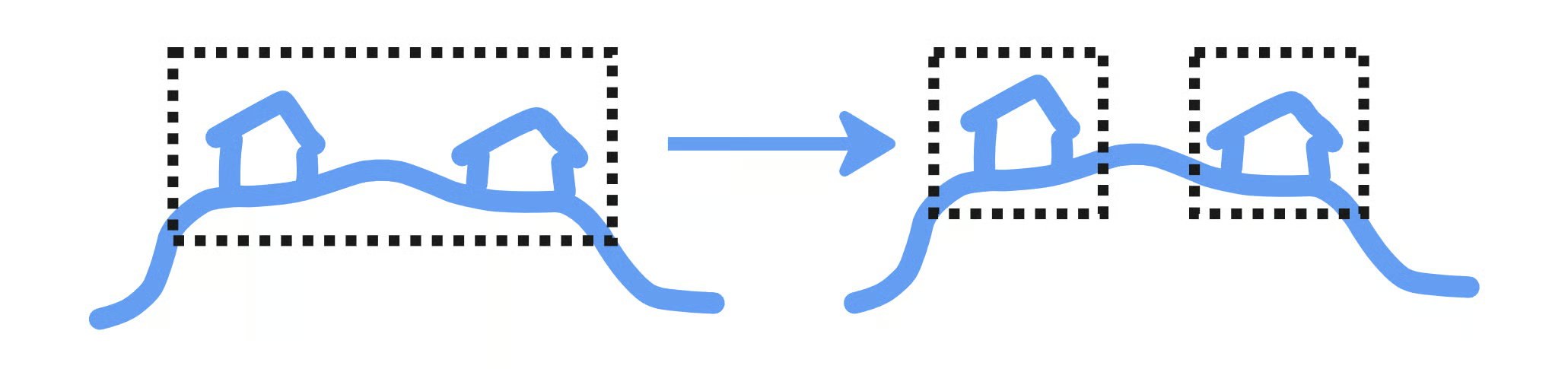
The priority for Props within a Runtime is currently broken, meaning that props are being placed in non-deterministic order within each Runtime. This will be fixed in a future update.
Useful Optimization Steps
Some steps to help you optimize your world-gen assets, roughly ordered from easier to more complex:
- Try to use 2D where possible. Use 3D only when necessary.
- Put Cache nodes on the right side of all YOverride nodes.
- In your WorldStructure asset, make sure you're not using
DefaultTransitionDistanceandMaxBiomeEdgeDistancevalues that are greater than necessary. - 3D domain warping Density nodes tend to invalidate 2D caches from all their children nodes, which could have a significant impact on performance.
- Try using 2D warping instead of 3D where possible.
- Use Mix at the root of your Biomes to replace the area above the highest point of your terrain with a Constant Density of -1. Do the same underground, but with a Constant Density of 1.
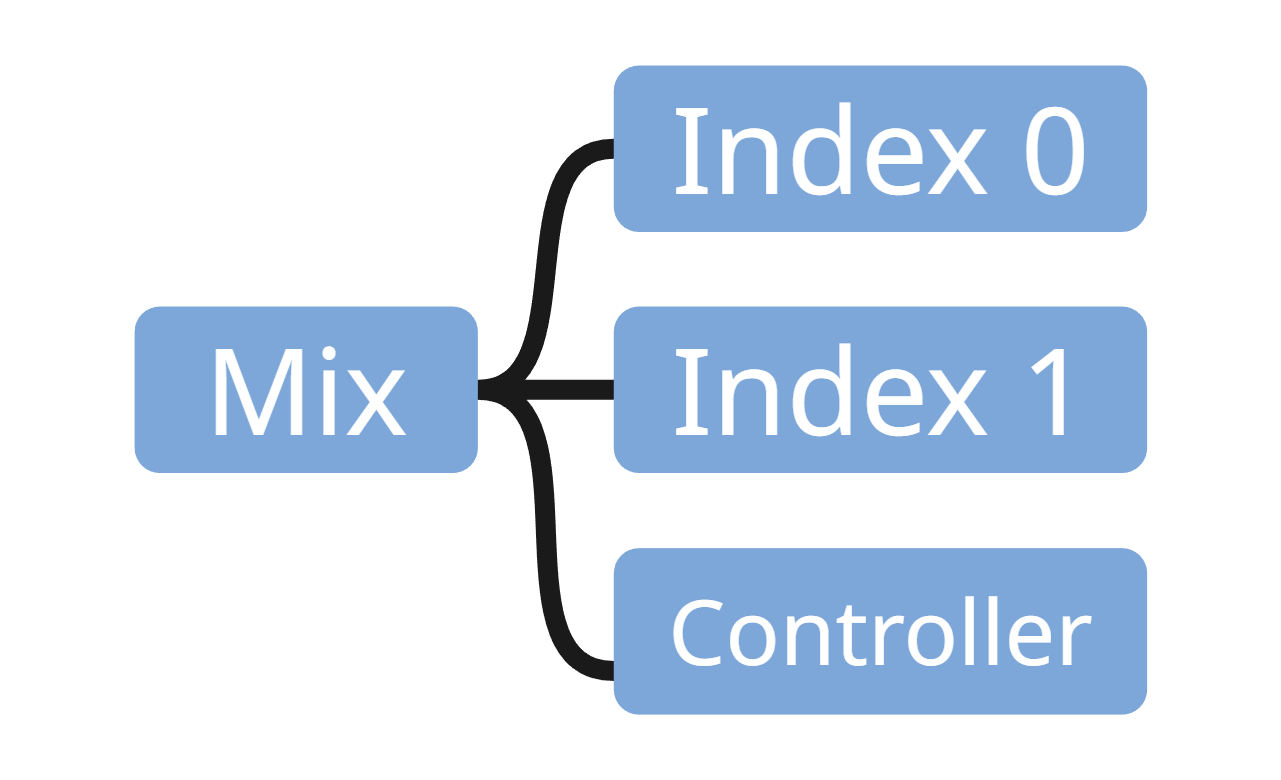 | To reduce the number of complex calculations above and below the terrain, we recommend using a Mixer node, which in this case will mix out a Density field and replace it with constant values. Mixers typically have three inputs: index 0, index 1, and the controller. The controller decides where each index input appears, using density values between 0 and 1 to match the indexes. |
- Use Mix (instead of Sum, Min, Max, etc.) where possible inside your Biome when you want to transition between different Density effects. Mix disables the fields where they don't need to be calculated, while other approaches don't.
- Try to use YSampled where possible.
- As a simple first approach, try putting it at the root of your Biome's Density.
- If the above doesn't work well with your setup (you get undesired artifacts, etc.) you can try adding YSampled more precisely to different parts of your Density.
- You can also experiment using Mix to limit the full resolution Density in regions that need precision, and default back to the YSampled version everywhere else. This is the best of both worlds, but can introduce additional complexity.
- Try to reduce the number of distinct Runtime indices across all the Biomes in your World Structure.
- Make sure all the Biomes use the same Runtime indices as each other.
- Structure your Biomes so that you can fit as many Props as possible within the same Runtime before creating a new one.
- Reduce the size of the horizontally largest Prop for every Runtime index. The size of a Runtime is equivalent to the largest Prop assigned to that Runtime index.
- Try to put the Props with the largest horizontal total size at the lowest Runtime index possible.
- Each runtime affects all the runtimes below. Moving large Props lower reduces how many stages it impacts.
- Find ways to split horizontally large Props into smaller modular pieces and assemble them at the Prop Distribution level.
- Identify expensive parts of your terrain and find ways to mask them with a cheap Density field. Use that mask with a Mix to replace those expensive fields with cheaper ones outside of their active areas.
- A Density gradient can be very expensive because it resolves the child Density 4 times for every position.
- Make sure that you really need to use the gradient and that you can't achieve similar results without using it.
- Reduce the amount you're using by masking out as much of it as possible.
- Inside Material Provider nodes use the Terrain Density node to calculate the terrain's gradient. The Terrain Density node is much faster than importing the terrain's root Density, and it also outputs the interpolated fields between Biomes, which imported nodes don't.