



Graphs System
An explanation of how to use the Graphs system
This documentation is written by the community, and is put inside the official documentation section for visibility and accessibility reasons.
This documentation is not written, provided, proofread or approved by Hypixel Studios Canada Inc.
This is a pre-release feature and is expected to be changed and improved upon before the release of Update 6.
What is a Graph?
A parallel to using Graphs would be the Position Cell Noise Density (PCN), so I would encourage experimenting how that density works first! This new Graphs system however allows a lot more control than PCNs! This includes better modification of the positions of points, what outputs you get from them, and most importantly being able to create branches or “Edges” from point to point or in graph's case “Node” to “Node” to be able to create forms of webs or paths between Nodes!
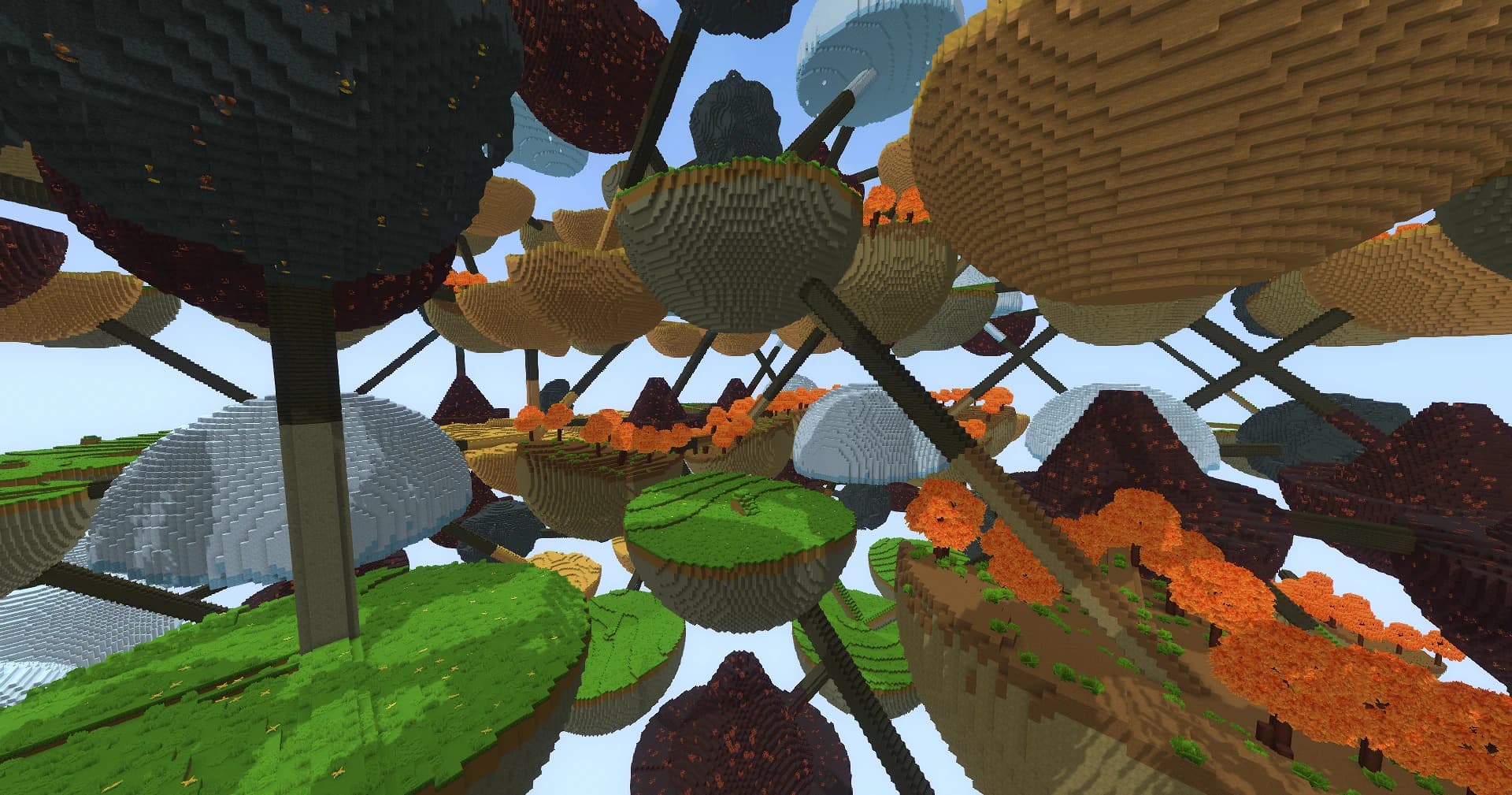
Example Using Graphs
This is my BiomeSpheres Example with a “Biome” per Node with random Edges connecting them! The density, materials, and props were all done through the graph system!
Glossary
Most of the terms will be defined in more detail below in the Steps and Definitions. Come back here if a random bolded word shows up!
| Graphs | Contain Content to be used throughout your Biome file. |
| Content | Contains Density, Material, PropDistributions, and/or Position information. |
| Nodes | Nodes in Graphs are Positions similar to points in PCNs. |
| Edges | Connections or branches between Nodes. |
| Graph Passes | Procedures done in a graph to create a final result. |
| Positions GraphPass | Adds Nodes to the Graph using Position Providers. |
| Node Actions | A list of actions to modify nodes, create edges, or define Content. |
| Proximity Connector | The Action that controls creating Edges between Nodes. |
| Node Content | Defines the Density, Material, PropDistributions, and/or Positions information per Node. |
| EdgeActions | A list of actions to modify edges or split into Nodes for Content. |
| Splitter | Splits up an Edge into a designated amount of Nodes in a line to define content along. This can be used instead of the DistanceFromGraphEdge Density node which may be expensive. |
| Node/Edge Selectors | Allows precise control over which Nodes or Edges to perform actions on. |
| Graph “Connections” | These nodes are how you use Content defined in Graphs inside your Biome file. |
| Content Layer | This value is the bridge between a Connection and defined Content in a Graph. |
Steps and Definitions
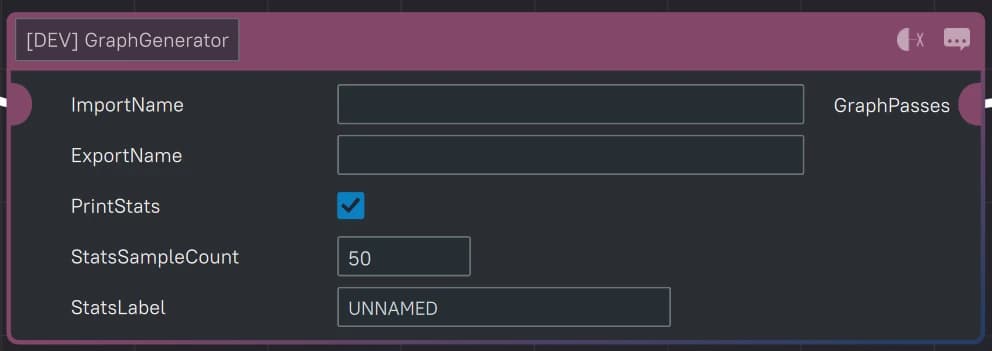
Graph Generator
All Graphs start from a Graph Generator. Graphs are created using Passes to define the final output with each type of pass explained below. You can also export and import Graphs to not continuously redefine and re-compute values.
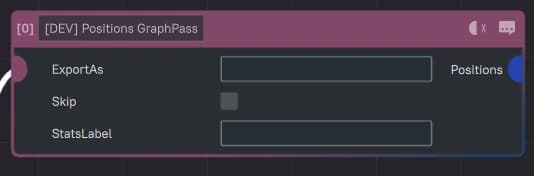
Nodes
The first Pass is always to create Nodes. This will take in a standard Position Provider same as PCN or PropDistributions to convert these points into Nodes the Graph can then use for further operations.
Edges
One of the most useful passes is to creates Edges. Edges are created using the “ProximityConnector NodeAction.”
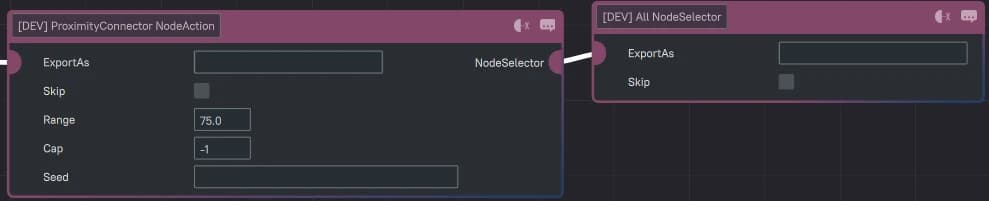
In this example, the “Range: 75” means all Nodes within 75 blocks of each other will create Edges between each other; “Cap: -1” means there’s no limit to how many Edges will be created; and finally the Node Selector is set to “All” meaning there’s no filter to which Nodes are connected to each other.
Node Content
Now that we have Nodes and Edges set up, let’s make them do something! For this we’ll use the Content NodeAction. This will define the Density, Material, PropDistribution, and / or Positions per Node. For each type of Content (Density, Material, etc.), be sure to assign a Content Layer value! This will be important for later.

Here's an example of defining as much Content as we can into Nodes where each Node has a Cylinder defined out of Density, a Gold Material coating the cylinder, with a Dungeon Room PropDistribution placed underneath, with a Position that will be used to point to a chest on top of the Cylinder. |
|
Graph “Connections”
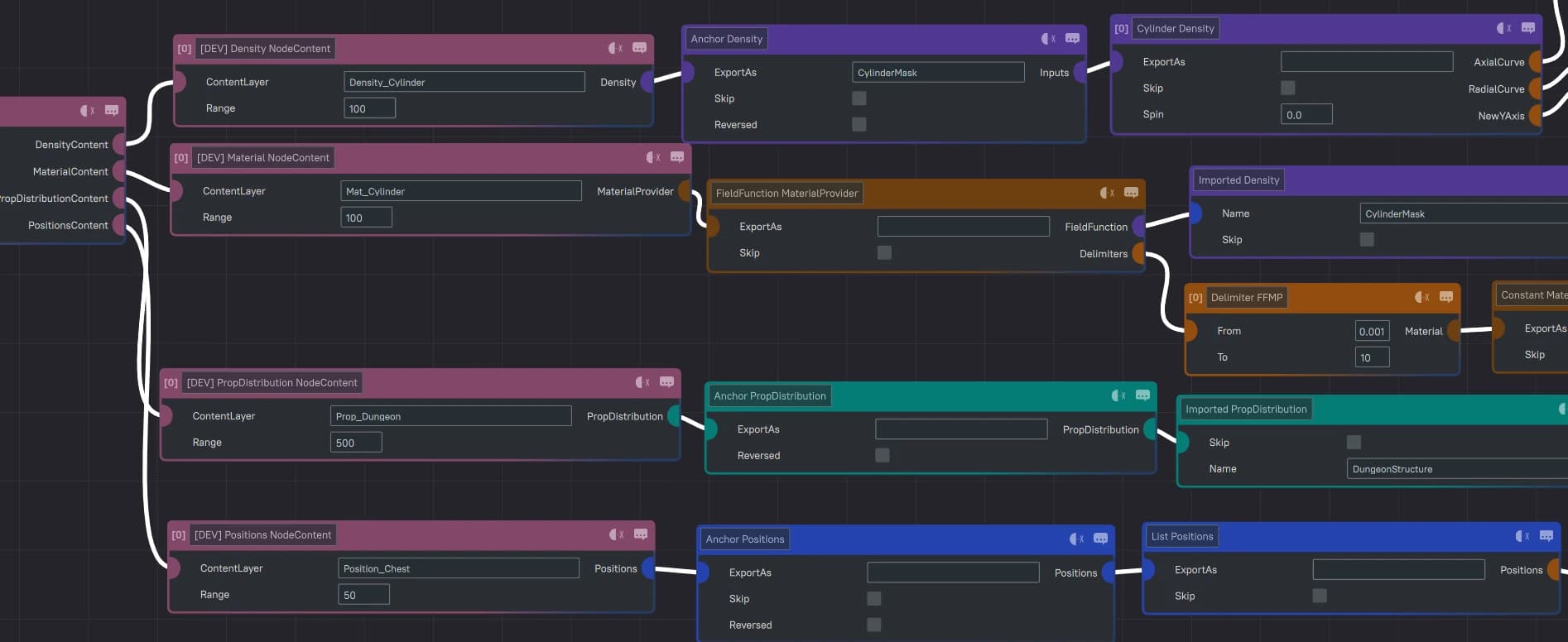
Graph Connections are where you extract the Content you've just defined from Graphs to use in your Biomes. This is where the Content Layer value is important to point to the correct information. Attached to these nodes on the right will be the starting Graph Generator node. (“Connections” is my own personal term for these types of nodes.)
| Density | Material Provider |
|
|
| Prop Distributions | Positions |
|
|
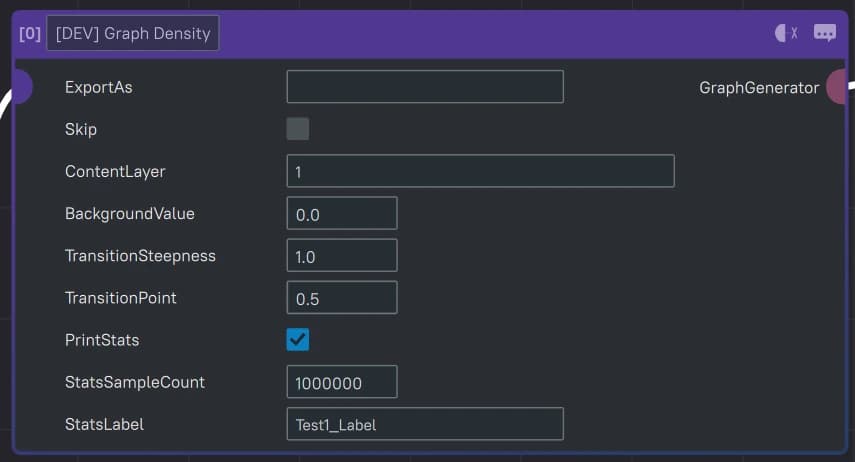
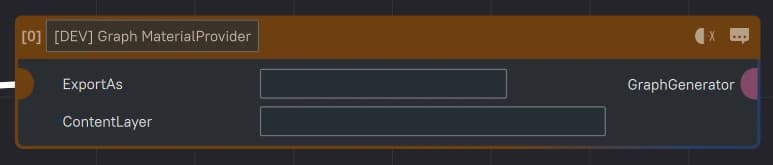
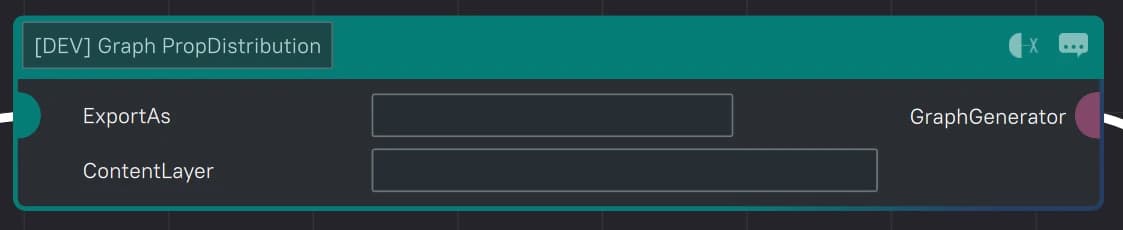

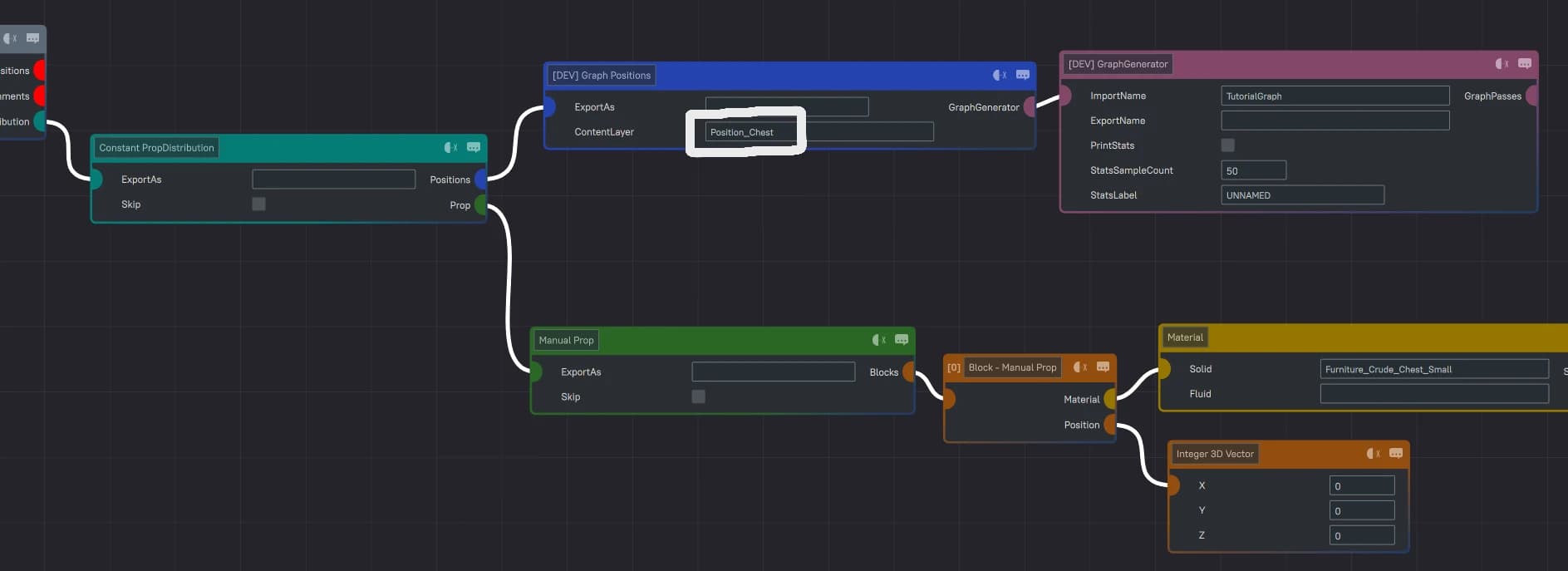
This example continues off of the previous example. Here we are extracting the previously defined Positions Content to place a chest on top of our Density defined Cylinder. |
|
Edge Content
While defining specific Content per Nodes is cool, we’re here to create some webbing, some connections, and some roads from Edges!
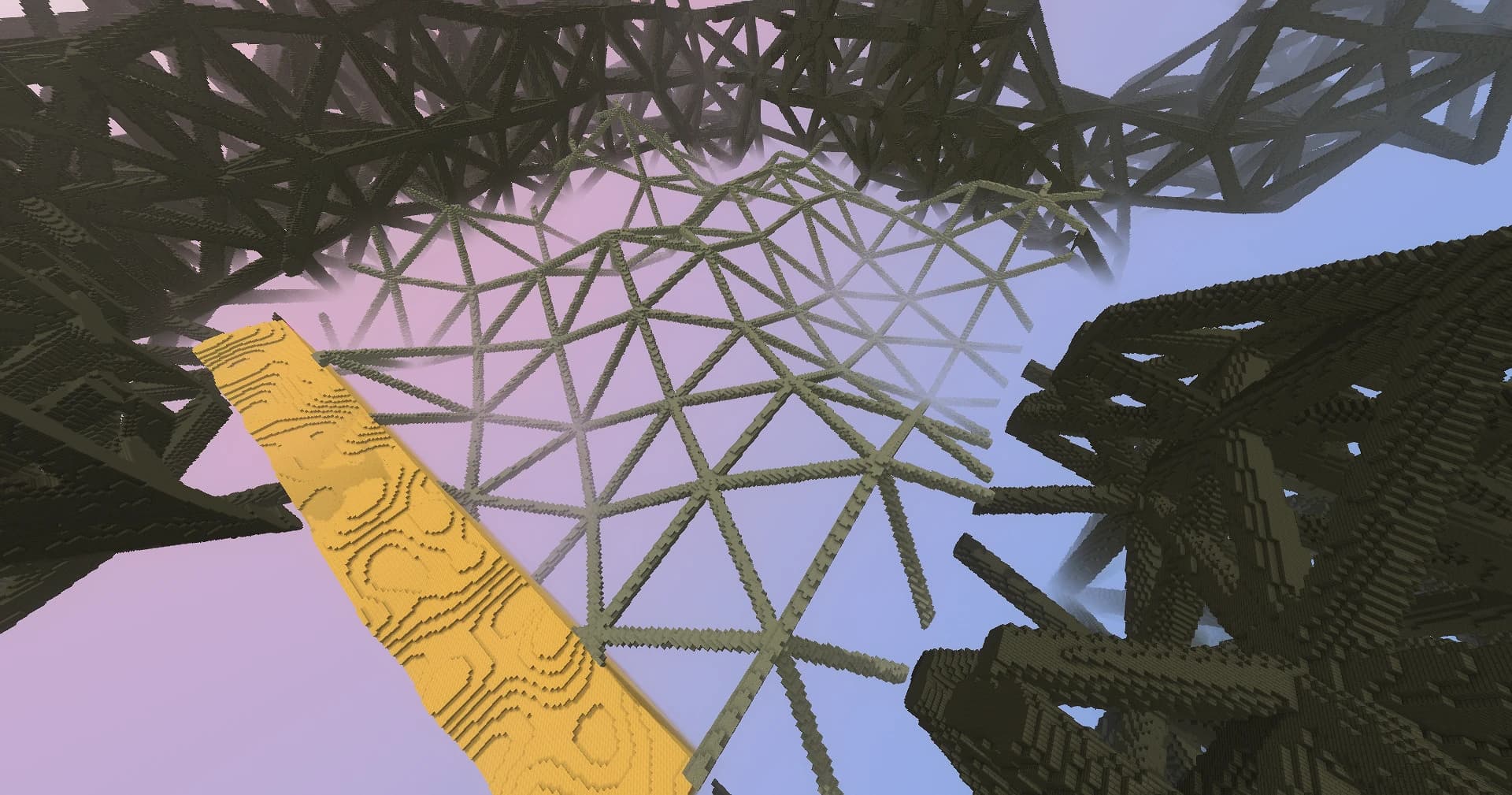
This tech is still new and creating Content for too many Edges or not using a YOverride can create a huge performance loss, so use sparingly for now or else your World will timeout and crash!
There are 2 ways to define Content along Edges:
Splitter EdgeAction
The first way is to use the Splitter EdgeAction. This will create Nodes along the selected Edges that you can then define Content for.

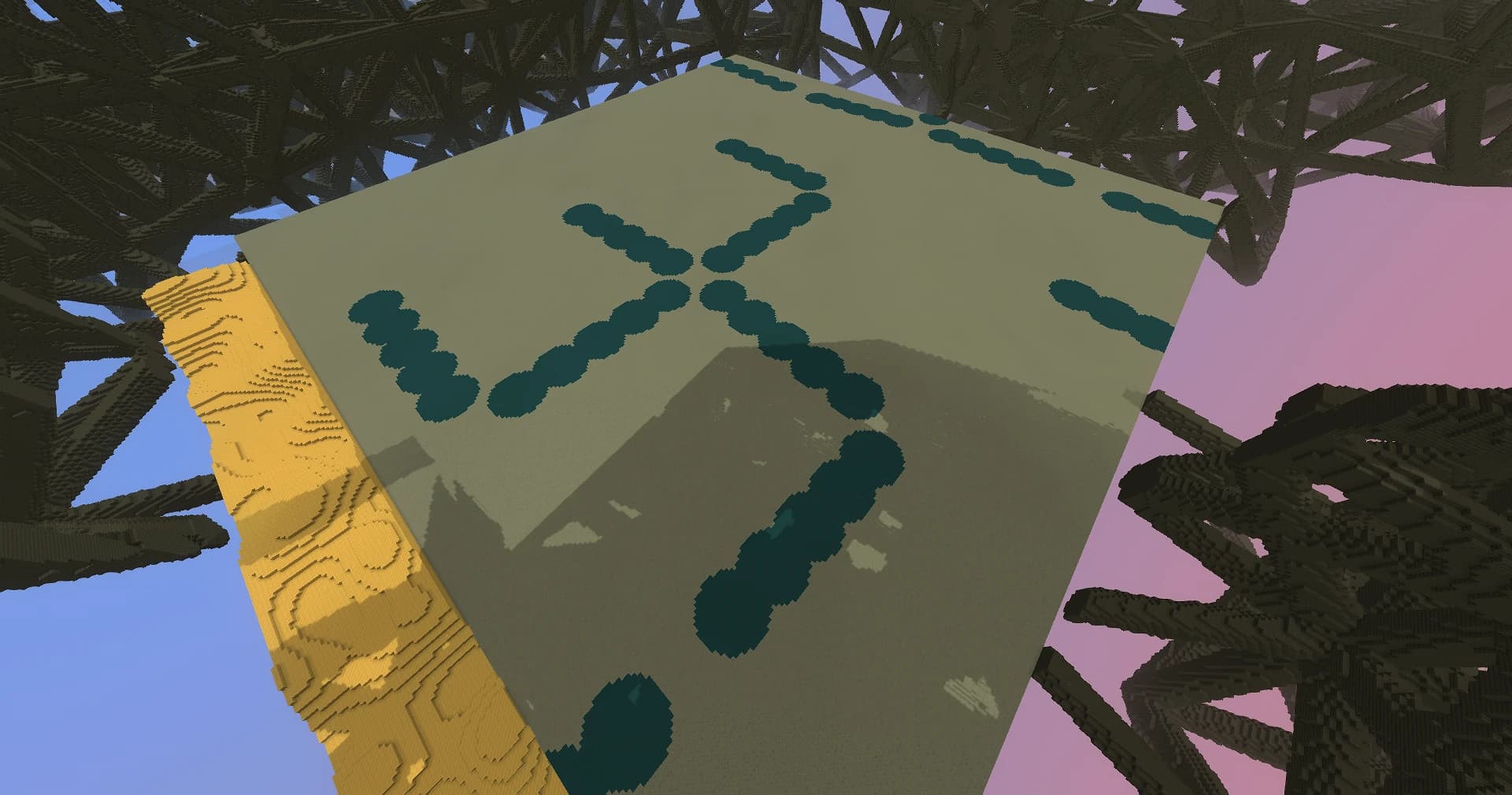
In this example, I’ve created 5 Nodes per Edge and defined a darker stone material to be placed per Node. If you want the Nodes to blend better along the Edges, I recommend upping the “NodeCount” value!
DistanceToGraphEdge Density
The second method utilizes the new DistanceToGraphEdge Density. This density returns the number in blocks in distance from your created edges. This can be utilized within a large ContentNode Range to utilize this density across the entirety of your Graph.

Node/Edge Selectors
What’s really cool about a lot of these Actions, is you can select which nodes or edges to perform these actions on based on a whole set of Selector operations.
Node: ConnectionCount
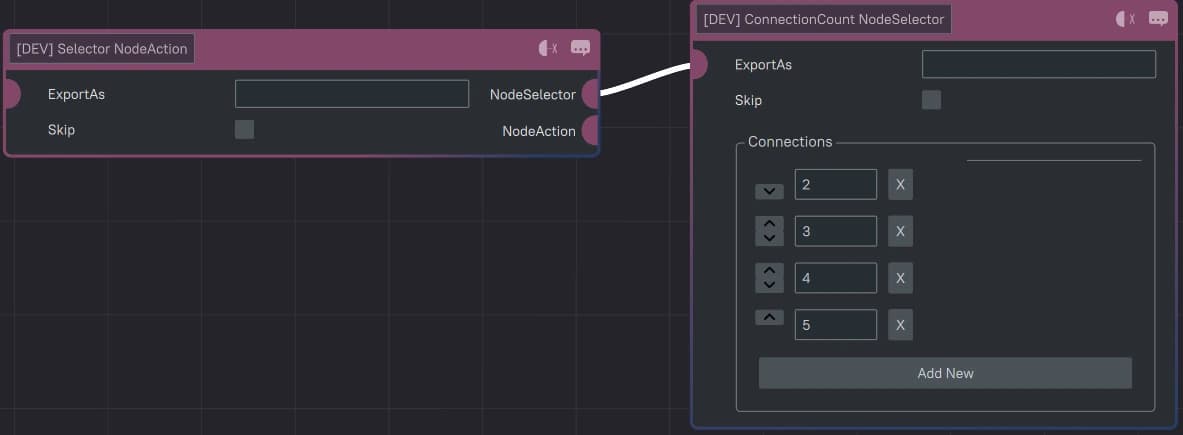
Selects Nodes with a certain amount of Edges, like in this example, above 1 Edge.
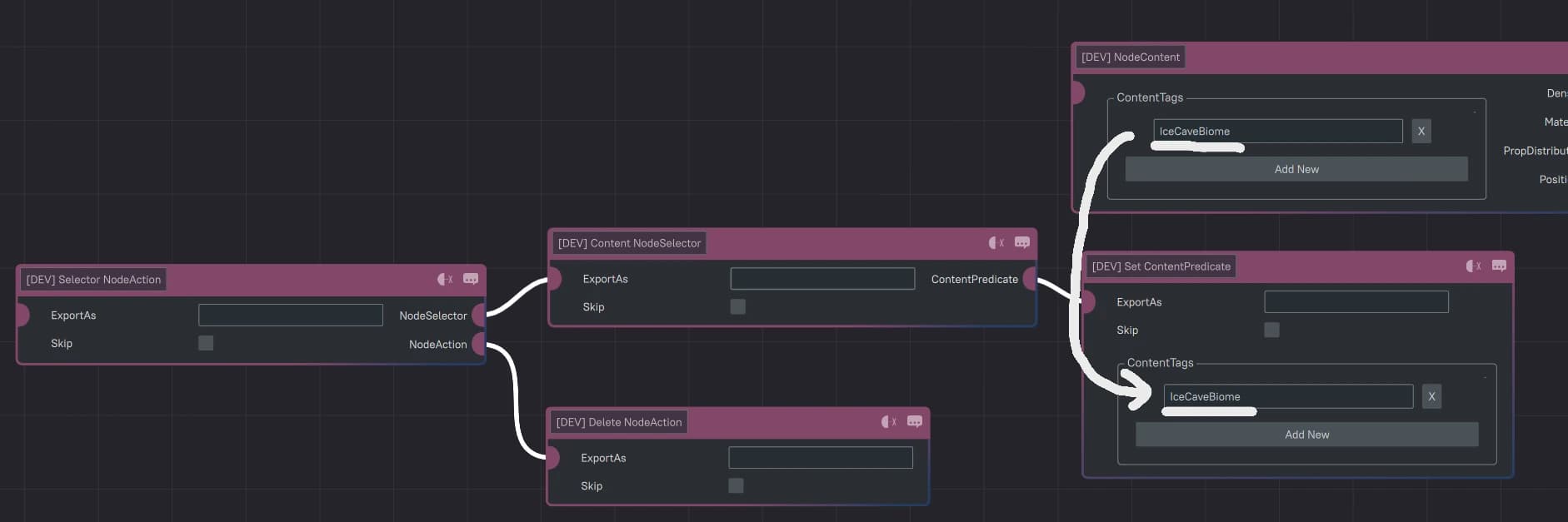
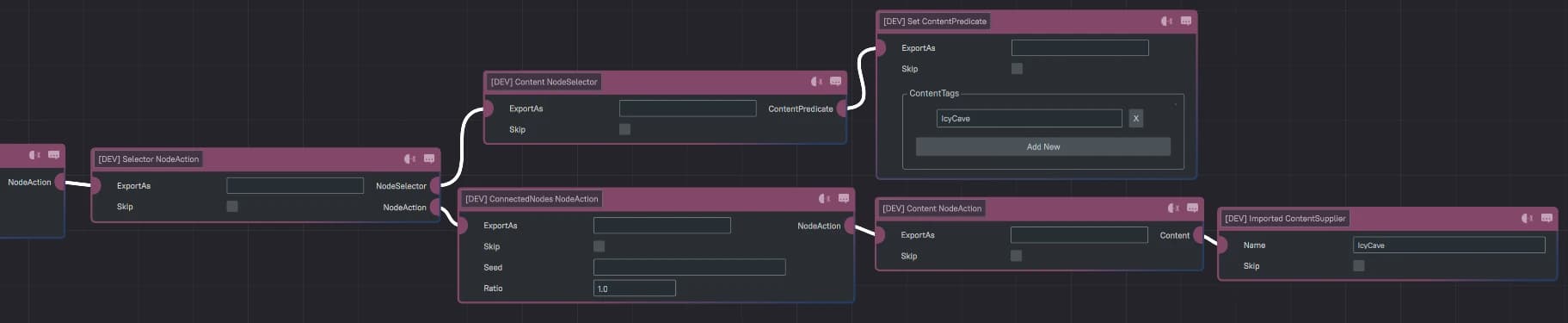
Node: Content
Selects Nodes that have an already pre-defined Content assigned to it, so in this example, I’m deleting any Nodes with Content defined by the “IceCaveBiome” tag.
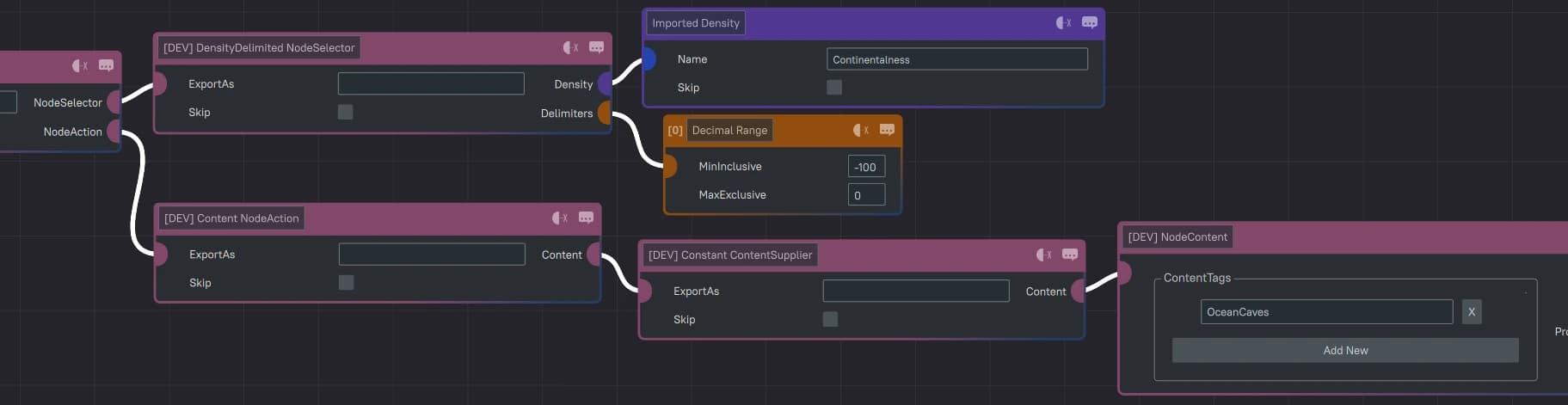
Node: DensityDelimited
Selects Nodes within a range of Density values same as how a FieldFunction PositionProvider would work. In this example, I’m modifying Nodes underneath the Ocean to have “OceanCaves” Content.
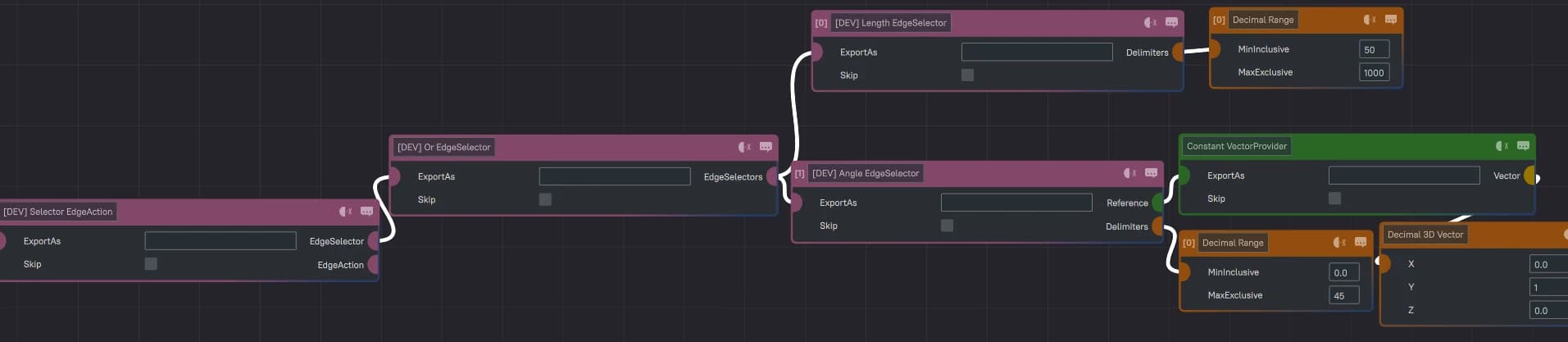
Edge: Length / Angle
In this example, I’ve combined 2 Selectors! Any Edges that are more than 50 blocks in Length or pointing in the upwards/downwards y direction is being selected which could be useful for creating strips of Caves along the y-axis.
Neighbor Checks
Node->NeighborNodes: Checks all Nodes connected by Edges for their own Selector Conditions.
Node->NeighborEdges: Checks all connected Edges for their own Selector Conditions.
Edge->Nodes: Checks if either or both Nodes creating the Edge match their own Selector Conditions.
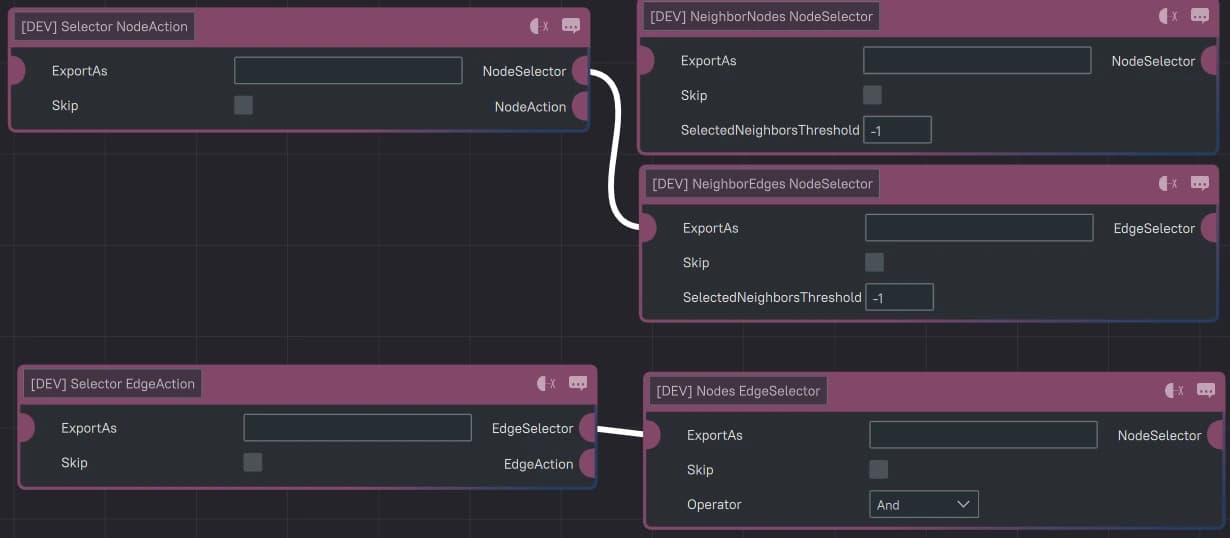
The “SelectedNeightborsThreshold” is how many nodes/edges are needed to pass this condition. If set to “-1”, all Neighbors must satisfy their Selector Conditions. These Neighbor Checks are very useful for creating transitionary Nodes and Edges based on what the Content is of neighboring/connected Nodes like removing Ice Caves connected to Lava Caves or creating Lush tunnel transitions towards Lush Cave Biomes.
Node/Edge Actions
Actions aren't limited to creating new Edges, defining Content, and Splitting Edges. Here's a list of some other useful Actions! (Not all Actions are listed like Move or Jitter as they seemed self-explanatory.)
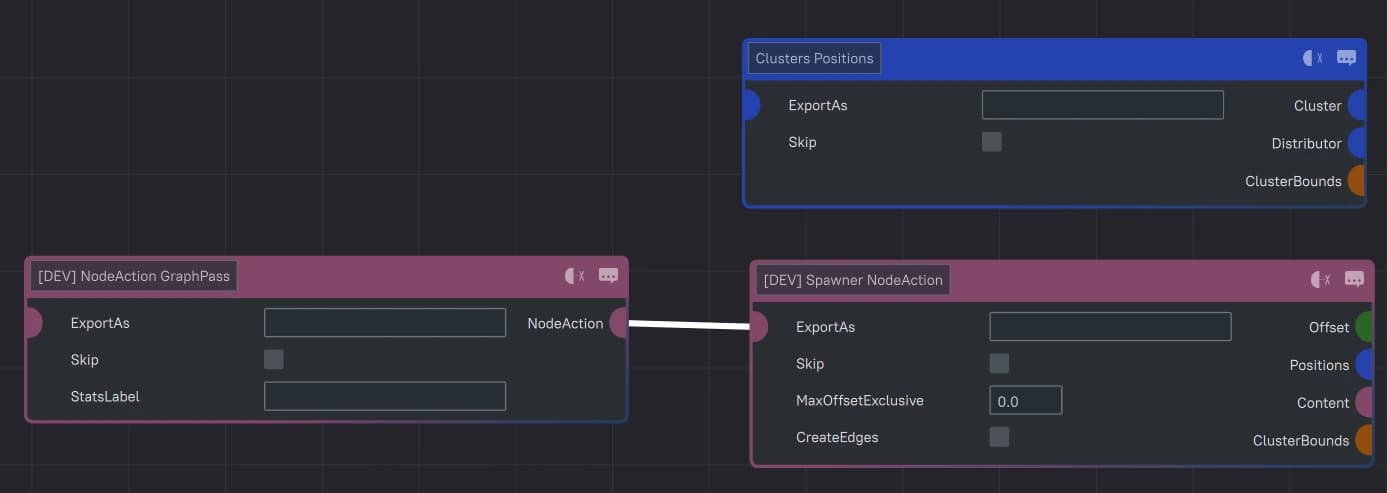
Node: Spawner
This Action creates Content from new Nodes within a cluster around the central Node. This can be similarly attributed to the Cluster PositionProvider. You can also select to “CreateEdges” connecting these clustered Nodes.
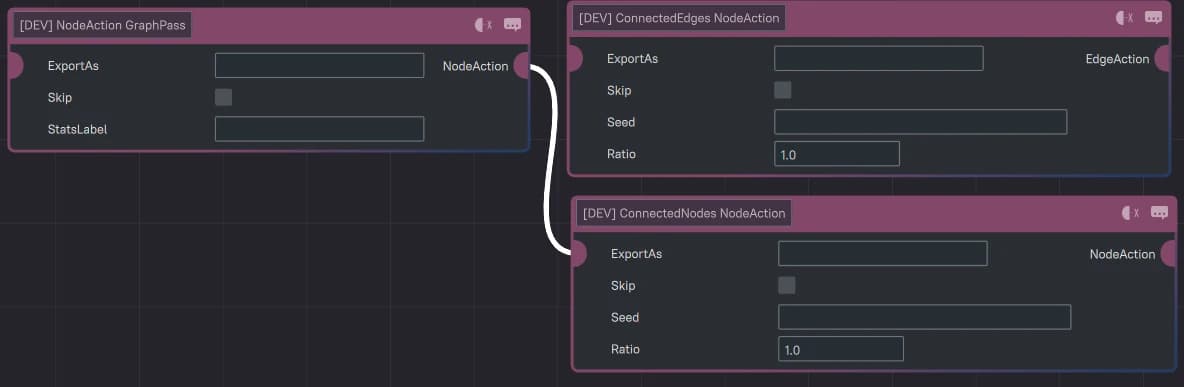
Node: Connected Nodes/Edges
This Action will select ConnectedNodes to perform their own actions. (I’m not too sure what the Ratio value does in this situation.)
This is an example of expanding an IcyCave Content to its Connected Nodes! |
|
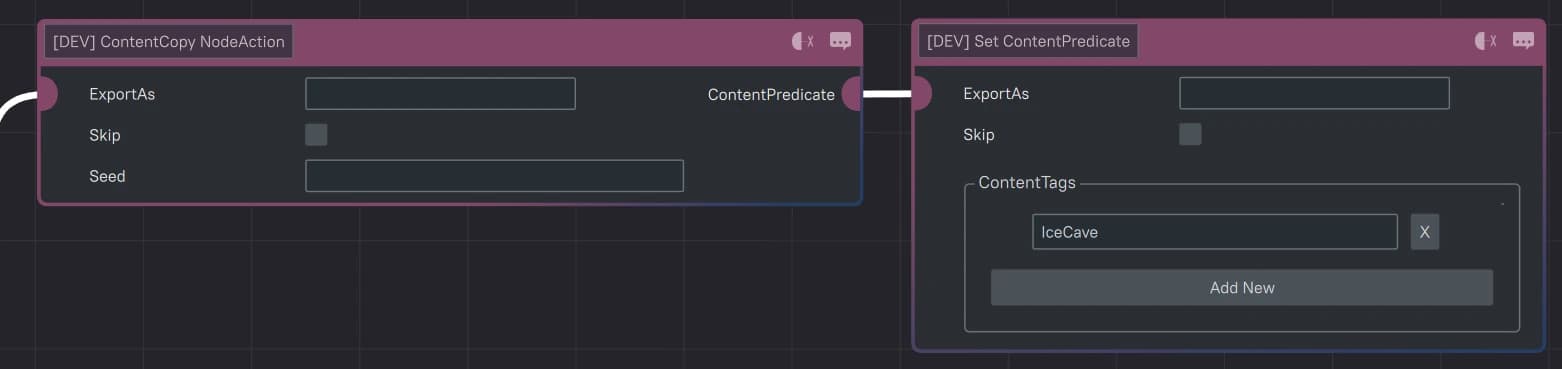
Based on the Previous NodeSelectors section, this setup would work as well! |
|

Node: ContentCopy
(Not tested yet, will update with info later)
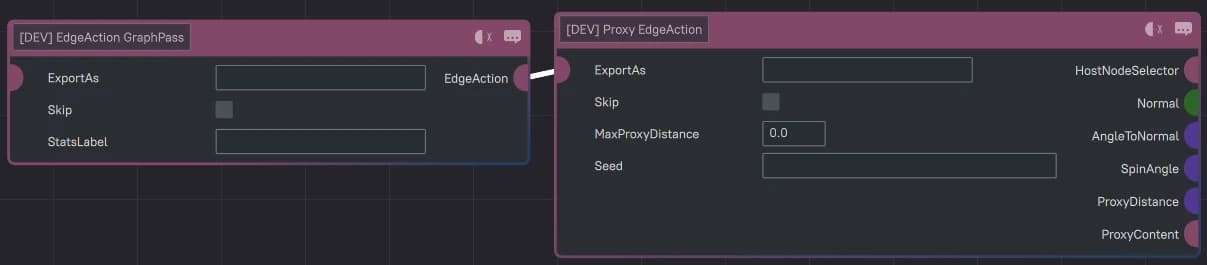
Edge: Proxy
(Not tested yet, will update with info later)
New Position & Vector Providers
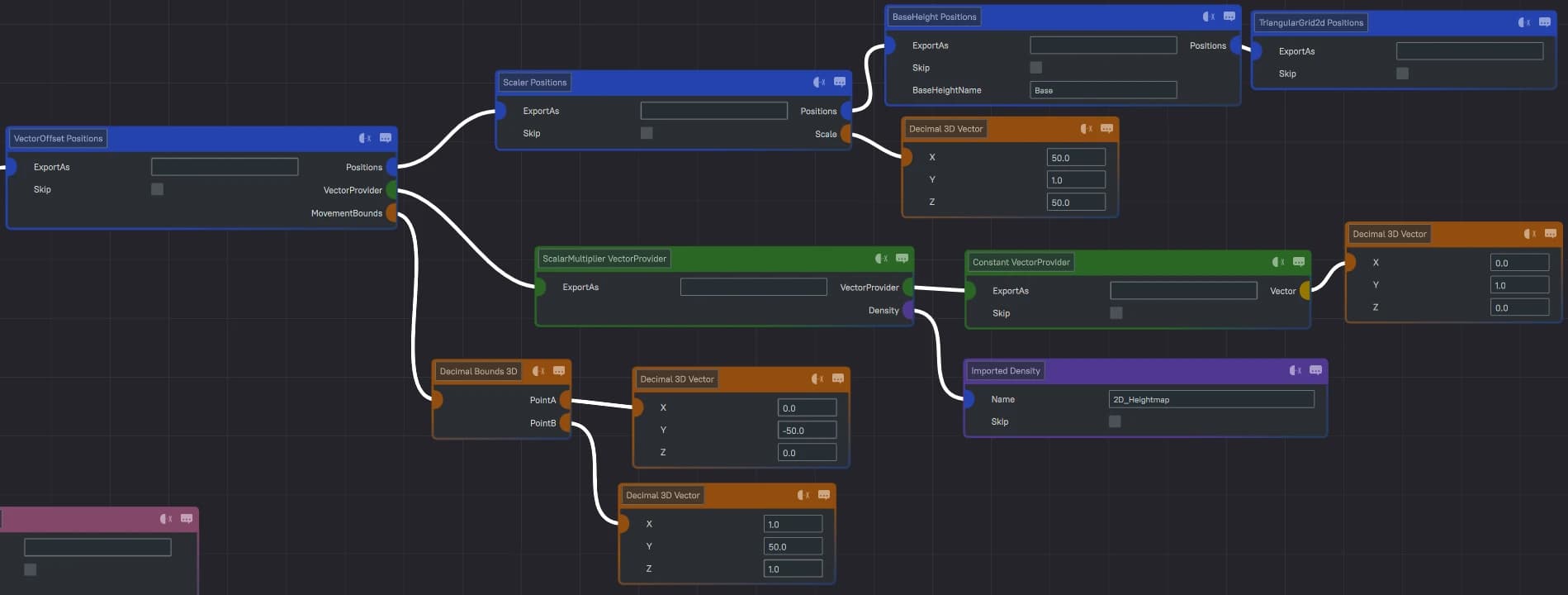
This section includes a look at some of the new Position and Vector Providers also included in this pre-release that may be useful in your Graph creating Journey!
The list is far too long to include here, but I've included an example of using them to set the Y-Position of Positions (or Nodes for Graphs) to the top of the World without for example for Props requiring a Scanner!
We also have the new OpposedToGraphEdges VectorProvider which is also on my list of Nodes I have yet to test so new info will be included here soon!

Examples
Biome Spheres
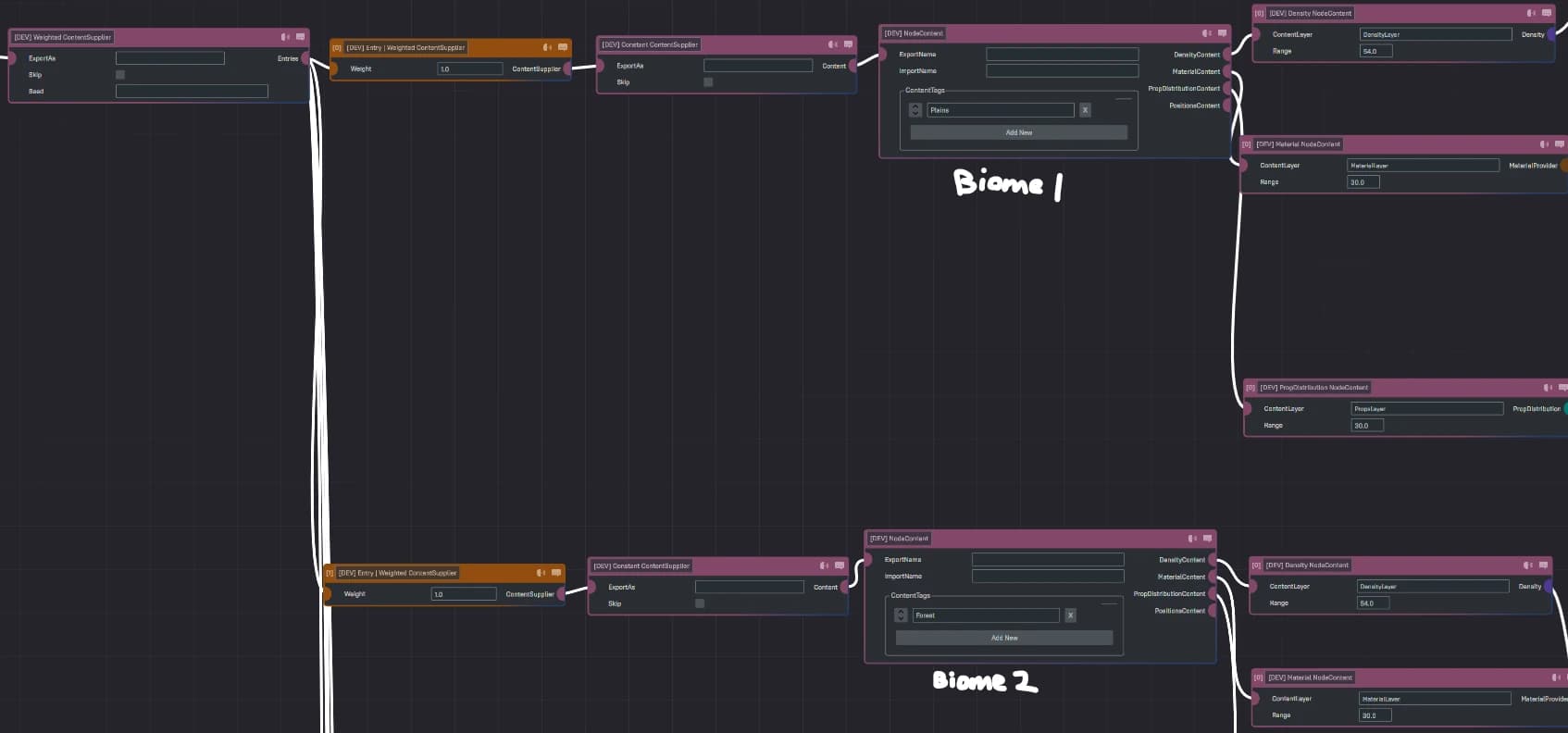
This is a showcase example of creating a “Biome” per Node with random Edges connecting them! The density, materials, and props were all done through the graph system! Link to GitHub Repository. (Warning for testing this example in that the Edges create a huge hit on performance and may timeout the World!)
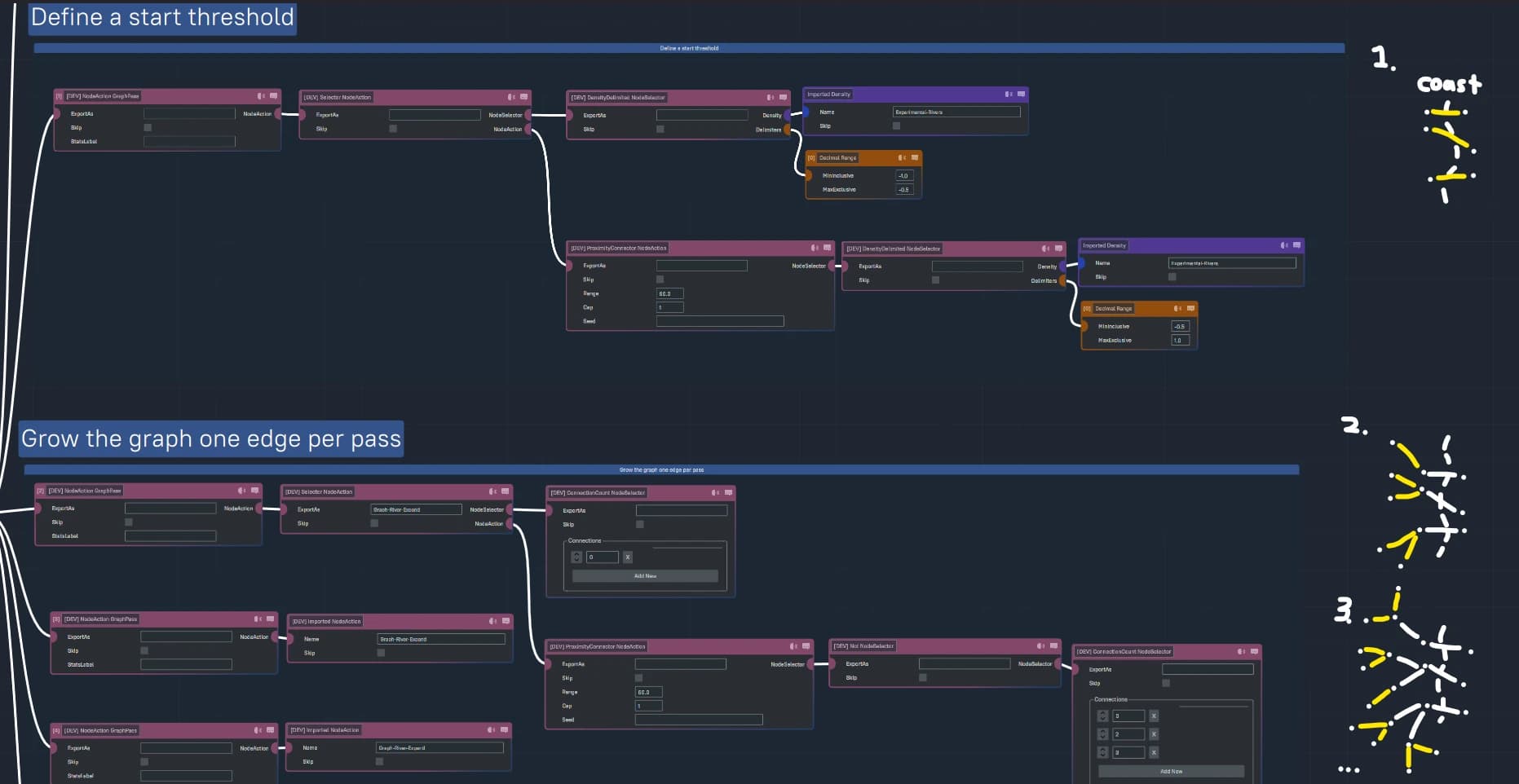
River Drainage
This Example is brought to us by Ams of Hypixel Studios.
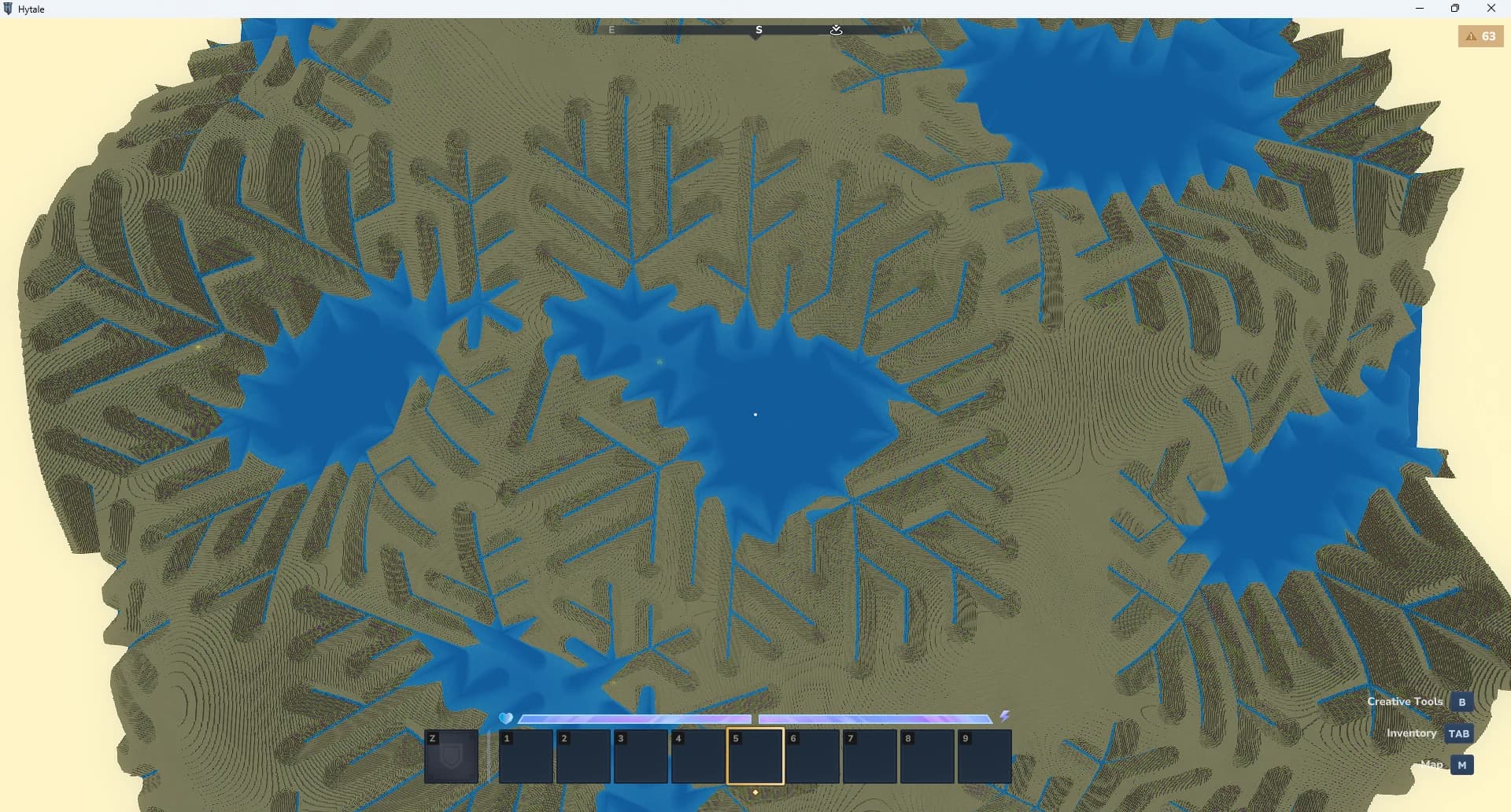
It includes an example of an iterative Selection approach to create river branches that branch out from a coast line! Feel free to download and experiment! This example will be included in a future pre-release. Link to GitHub Repository.
More Examples to come! Feel free to share some of your best work on here for others to play and mess around with!