


Title Holograms
Learn how to create title holograms.
Overview
In this guide, you'll learn how to create a title hologram using an entity nameplate.
Steps
- Open and equip the Entity Grabber Tool.
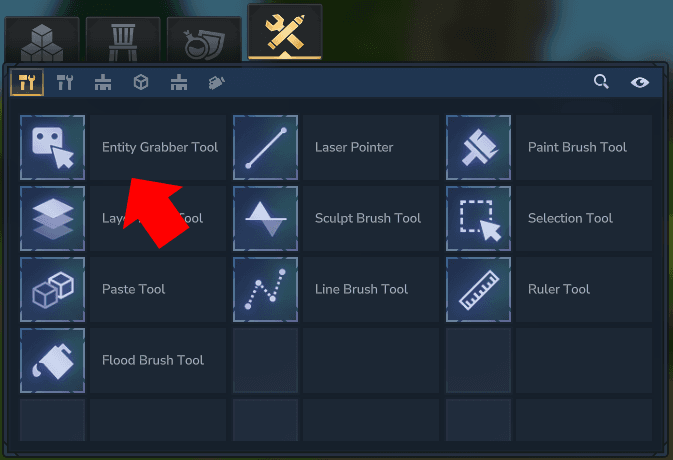
This tool will be used later to adjust the position of the nameplate, so it’s useful to keep it equipped throughout the process.
- Spawn a small entity (for example, rubble or a similar object), then scale it down to lowest possible value.
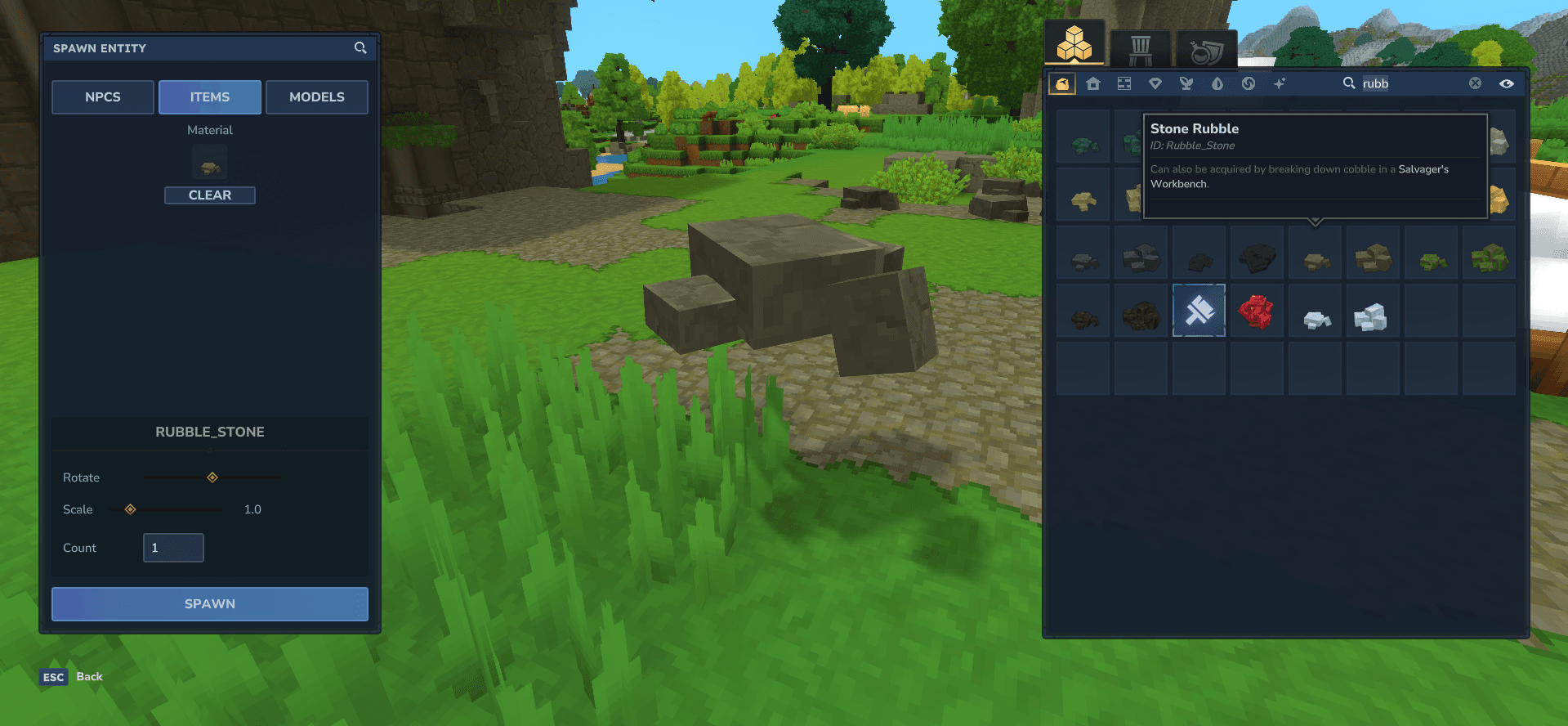
- Hover over the entity you just spawned and run the following command:
/entity nameplate "Text Here"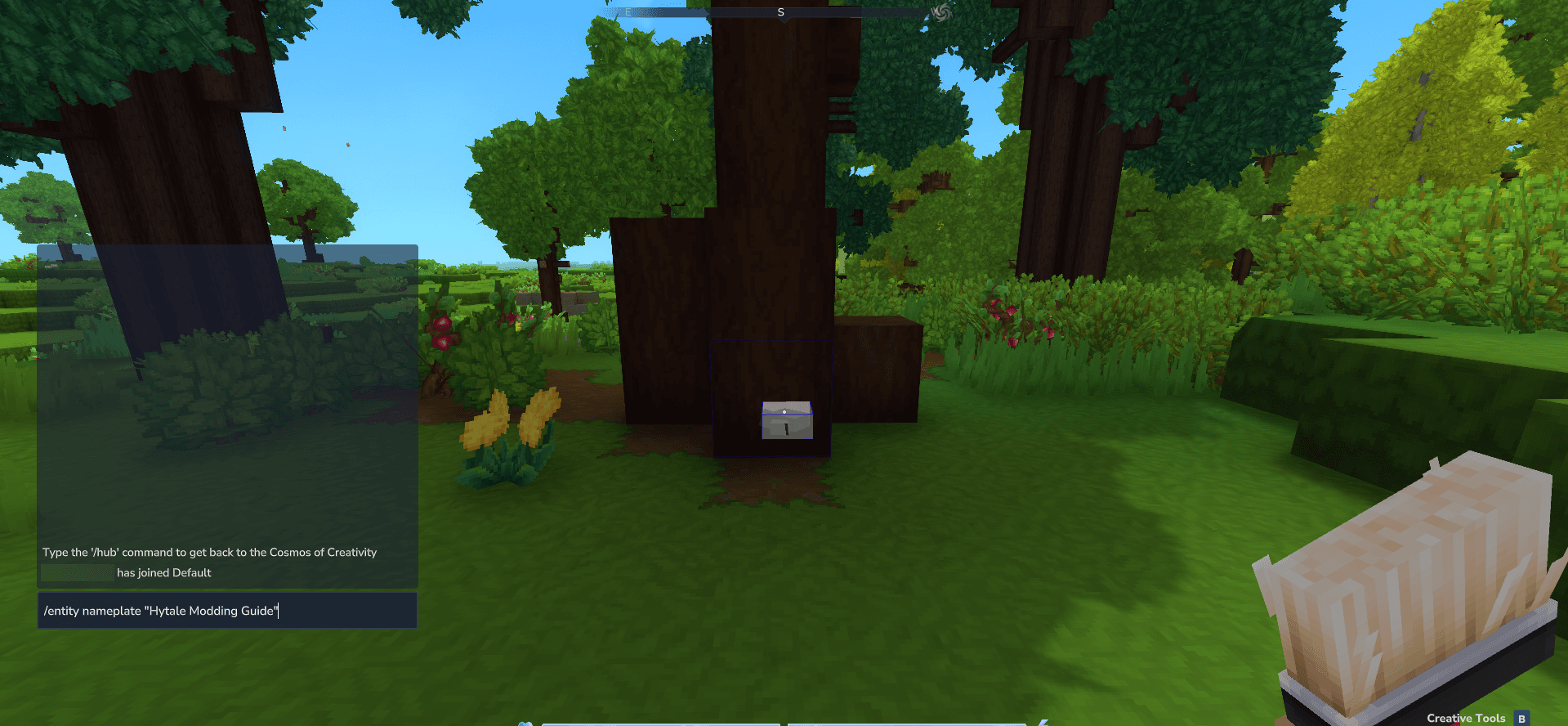
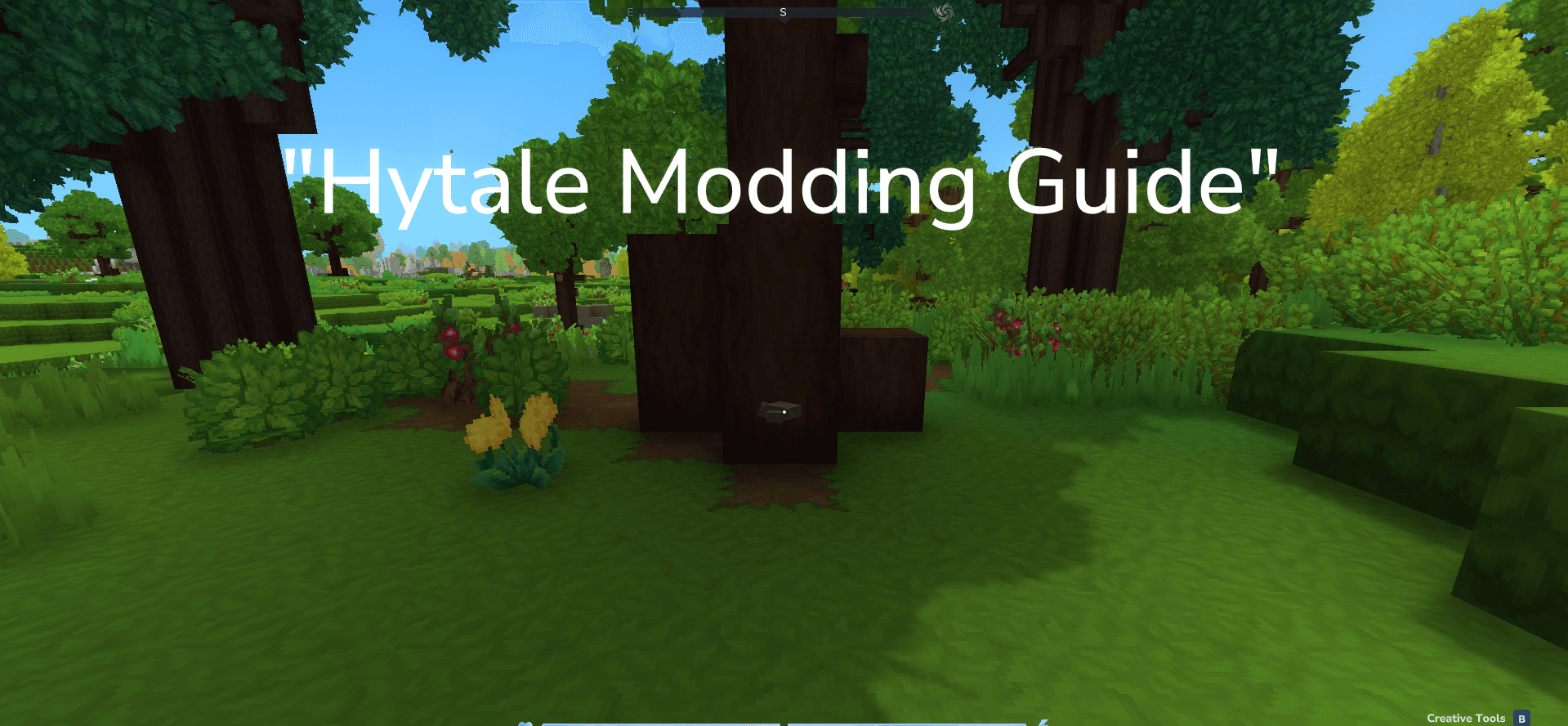
Your title hologram should now be visible in the world, floating where the entity is placed.
Bonus Section - Creating Title Holograms With Code
This section shows how to create the same title hologram using a server plugin command instead of in-game tools.
The example below creates a command called /titlehologram that spawns an invisible entity with a floating nameplate at the player’s location.
package org.example.plugin;

import com.hypixel.hytale.component.Holder;
import com.hypixel.hytale.math.vector.Transform;
import com.hypixel.hytale.server.core.command.system.CommandContext;
import com.hypixel.hytale.server.core.command.system.basecommands.CommandBase;
import com.hypixel.hytale.server.core.entity.UUIDComponent;
import com.hypixel.hytale.server.core.entity.entities.ProjectileComponent;
import com.hypixel.hytale.server.core.entity.nameplate.Nameplate;
import com.hypixel.hytale.server.core.modules.entity.component.TransformComponent;
import com.hypixel.hytale.server.core.modules.entity.tracker.NetworkId;
import com.hypixel.hytale.server.core.universe.PlayerRef;
import com.hypixel.hytale.server.core.universe.Universe;
import com.hypixel.hytale.server.core.universe.world.World;
import com.hypixel.hytale.server.core.universe.world.storage.EntityStore;

import javax.annotation.Nonnull;
import java.util.UUID;

public class TitleHologramCommand extends CommandBase {

    public TitleHologramCommand() {
        super("TitleHologram", "Create a title hologram.");
    }

    @Override
    protected void executeSync(@Nonnull CommandContext ctx) {

        UUID playerUUID = ctx.sender().getUuid();
        PlayerRef playerRef = Universe.get().getPlayer(playerUUID);
        World world = Universe.get().getWorld(playerRef.getWorldUuid());
        Transform playerTransform = playerRef.getTransform();

        world.execute(() -> {

            Holder<EntityStore> holder = EntityStore.REGISTRY.newHolder();
            ProjectileComponent projectileComponent = new ProjectileComponent("Projectile");
            holder.putComponent(ProjectileComponent.getComponentType(), projectileComponent);
            holder.putComponent(TransformComponent.getComponentType(), new TransformComponent(playerTransform.getPosition().clone(), playerTransform.getRotation().clone()));
            holder.ensureComponent(UUIDComponent.getComponentType());

            if (projectileComponent.getProjectile() == null) {
                projectileComponent.initialize();
                if (projectileComponent.getProjectile() == null) {
                    return;
                }
            }
            holder.addComponent(NetworkId.getComponentType(), new NetworkId(world.getEntityStore().getStore().getExternalData().takeNextNetworkId()));
            holder.addComponent(Nameplate.getComponentType(), new Nameplate("Testing Holograms"));

            world.getEntityStore().getStore().addEntity(holder, com.hypixel.hytale.component.AddReason.SPAWN);
        });
    }
}
1. Getting the Player and World
UUID playerUUID = ctx.sender().getUuid();
PlayerRef playerRef = Universe.get().getPlayer(playerUUID);
World world = Universe.get().getWorld(playerRef.getWorldUuid());
Transform playerTransform = playerRef.getTransform();
This retrieves:
| Value | Purpose |
|---|---|
playerUUID | The unique ID of the command sender |
playerRef | A server-side reference to the player |
world | The world the player is currently in |
playerTransform | The player’s position and rotation |
2. Spawning on the World Thread
world.execute(() -> {All entity operations must run on the world thread. Everything inside this block executes safely on the correct game thread.
3. Creating the Entity
Holder<EntityStore> holder = EntityStore.REGISTRY.newHolder();
ProjectileComponent projectileComponent = new ProjectileComponent("Projectile");
The projectile is only used as a valid entity shell. It will never move or behave like a real projectile.
4. Setting Position & Components
holder.putComponent(ProjectileComponent.getComponentType(), projectileComponent);
holder.putComponent(TransformComponent.getComponentType(), new TransformComponent(playerTransform.getPosition().clone(), playerTransform.getRotation().clone()));
holder.ensureComponent(UUIDComponent.getComponentType());| Component | Purpose |
|---|---|
ProjectileComponent | Provides a valid entity shell |
TransformComponent | Sets the entity’s position and rotation |
UUIDComponent | Gives the entity a unique identity |
The hologram will appear exactly at the player’s position and cannot be interacted with physically.
5. Initializing the Projectile
if (projectileComponent.getProjectile() == null) {
    projectileComponent.initialize();
    if (projectileComponent.getProjectile() == null) {
        return;
    }
}
This ensures the projectile entity is fully created. If initialization fails, the hologram will not spawn.
6. Setting Network & Nameplate Components
holder.addComponent(
    NetworkId.getComponentType(),
    new NetworkId(
        world.getEntityStore()
            .getStore()
            .getExternalData()
            .takeNextNetworkId()
    )
);

holder.addComponent(
    Nameplate.getComponentType(),
    new Nameplate("Testing Holograms")
);| Component | Purpose |
|---|---|
NetworkId | Allows the entity to be synced |
Nameplate | The actual hologram text |
7. Spawning the Entity
world.getEntityStore()
     .getStore()
     .addEntity(holder, com.hypixel.hytale.component.AddReason.SPAWN);
This inserts the hologram entity into the world, making it active and visible.
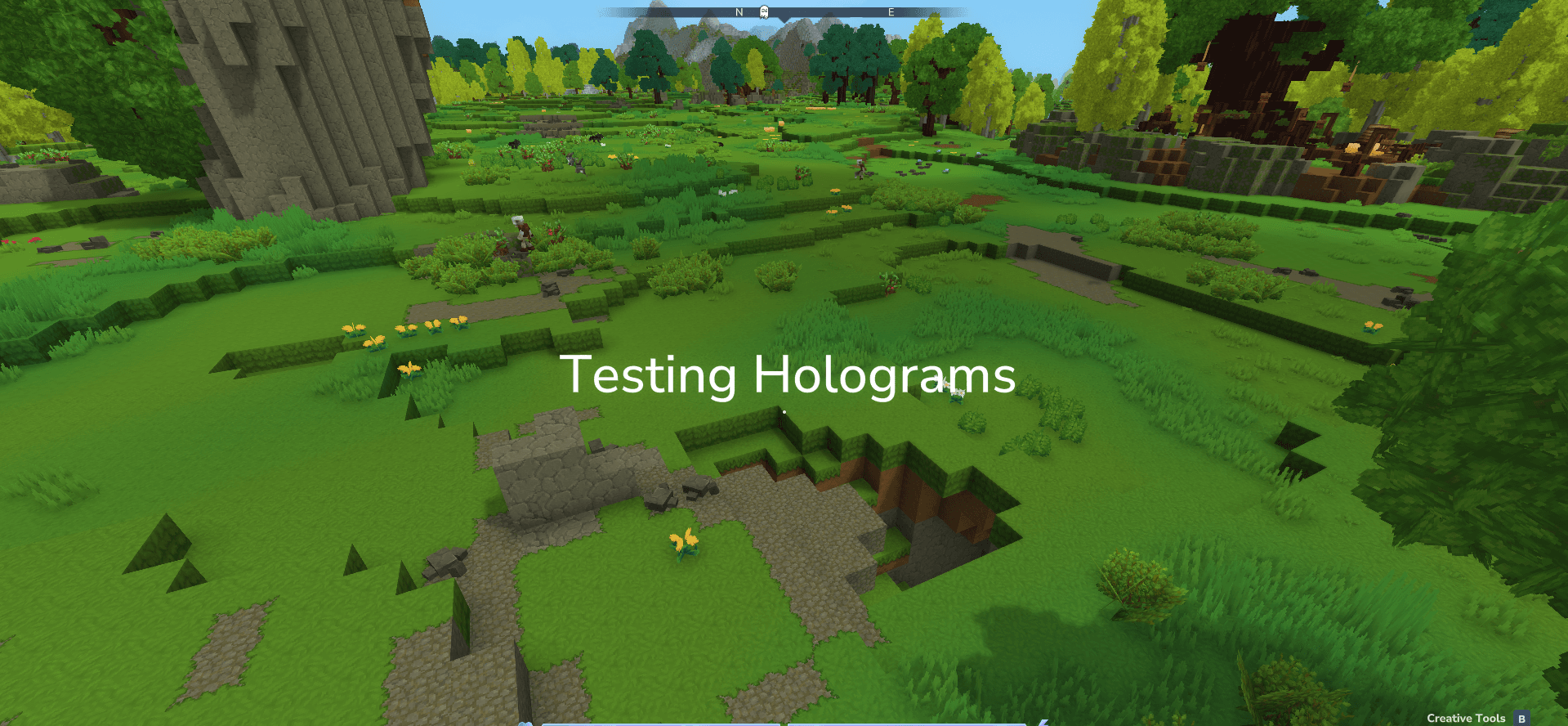
Thanks to Al3xWarrior and Quito on Discord for initially discovering this feature. And thanks to Elie for the initial code snippet.