



3 - The importance of being idle
There's no particular rule for the order in which we should tackle states either, but I like to start with the Idle state.
First we need to add the state to the template. We do this in two steps.
- Set up the Idle state in the instructions:
"Instructions": [
    {
        "Sensor": {
            "Type": "State",
            "State": "Idle"
        },
        "BodyMotion": {
            "Type": "Nothing"
        }
    }
]
Here we've added the state sensor and corresponding instruction that will hold and define the contents of the Idle state.
- Set the default starting state for the NPC:
"Appearance": { "Compute": "Appearance" },
"DropList": { "Compute": "DropList" },
"MaxHealth": { "Compute": "MaxHealth" },
"StartState": "Idle",
This is a simple case of adding the StartState line alongside the other header fields and setting it to be the Idle state.
Now we add the first substate within this, which we already decided would just be a plain .Default substate.
"Instructions": [
    {
        "Sensor": {
            "Type": "State",
            "State": "Idle"
        },
        "Instructions": [
            {
                "Sensor": {
                    "Type": "State",
                    "State": ".Default"
                },
                "Instructions": []
            }
        ]
    }
]
This functions the same way as its parent Idle state, but we don't need to specify it as a starting state anywhere because it's using the default name.
The first behaviour we're adding here is the 'protect the entrance of the Goblin POI' behaviour. We already identified an existing component we can use for this, so let's add that immediately.
"Instructions": [
    {
        "Sensor": {
            "Type": "State",
            "State": ".Default"
        },
        "Instructions": [
            {
                "Reference": "Component_Instruction_Intelligent_Idle_Motion_Follow_Path"
            }
        ]
    }
]
If we want, we can use a Modify block to set a range within which to follow this path or a particular way to follow it, but since we only want it to stand guard and expect it to spawn near its target marker, we can ignore both of those for now.
Straight away we can jump in-game and spawn our ogre using /npc spawn Goblin_Ogre. If we add a single path marker with /path new Test, he'll happily go and stand guard there without doing anything else.
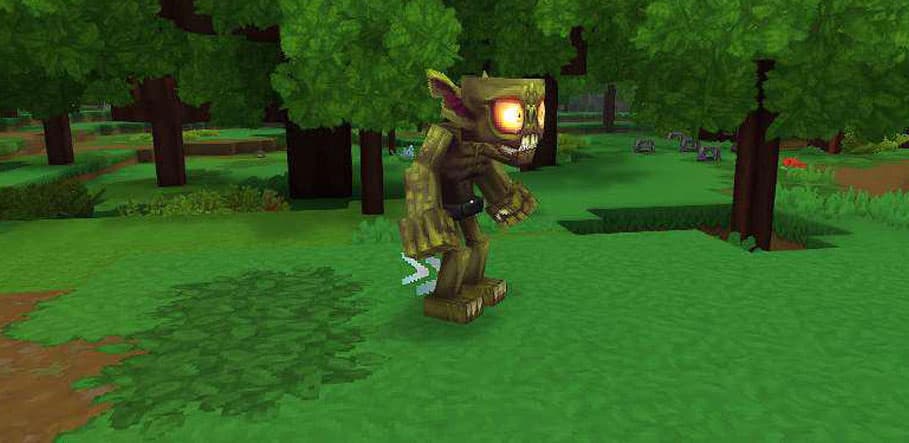
And there we go! First idle behaviour is now complete!