



9 - Inter-NPC Interaction
Now we need to start thinking about how to get our ogre to respond to other NPCs in the world. We won't think about combat or dealing with players yet, but there are a couple of other inter-NPC behaviours described in the design specification:
- Whack annoying goblin scrappers while sleeping.
- Grab and eat rats that come too close.
We'll start with the first because there are a number of problems that are going to come into play when we tackle the second.
Whacking goblins takes place during the Sleep state, so we'll be doing all our editing there. We don't actually need to add any detection for this, because we're going to trust the goblin scrappers to tell us they're being annoying. This is something pretty neat about using beacons to communicate between NPCs.
When one of the NPCs sends a message, it can trigger behaviour in the other. Basically, this means that the Goblin Scrapper is going to handle the bulk of this behaviour. When they go into annoy mode, they'll approach the ogre. When they're close enough, they'll send a message telling him they're being annoying, and he'll then randomly swat at them in his sleep.
They're essentially actually annoying him with their message!
{
	"Sensor": {
		"Type": "State",
		"State": "Sleep"
	},
	"Instructions": [
		...
		{
			"Sensor": {
				"Type": "Beacon",
				"Message": "Annoy_Ogre",
				"Range": 5
			},
			"Actions": []
		}
	]
}
This sensor listens for the Annoy_Ogre message and will perform its actions when receiving it, so long as it comes from an NPC that's close by. The nice thing about this is that it can respond to any NPC that decides to annoy it!
Next we'll add an attack to it. It'll be the animators' responsibility to ensure that this meshes nicely with the sleeping animation, and we'll also expose the attack name as a parameter in the parameters block.
"Parameters": {
	...
    "SleepingAttack": {
        "Value": "Root_NPC_Attack_Melee",
        "Description": "Attack to use on NPCs that annoy it while sleeping"
    },
    "DropList": {
        "Value": "Empty",
        "Description": "Drop Items"
    }
}
We use a placeholder attack because we don't have a real one yet.
{
  "Sensor": {
    "Type": "Beacon",
    "Message": "Annoy_Ogre",
    "Range": 5
  },
  "Actions": [
    {
      "Type": "Attack",
      "Attack": { "Compute": "SleepingAttack" },
      "AttackPauseRange": [1, 2]
    }
  ]
}
We don't need another NPC to test this - we can use /npc message Annoy_Ogre to trigger this behaviour while looking at the ogre.
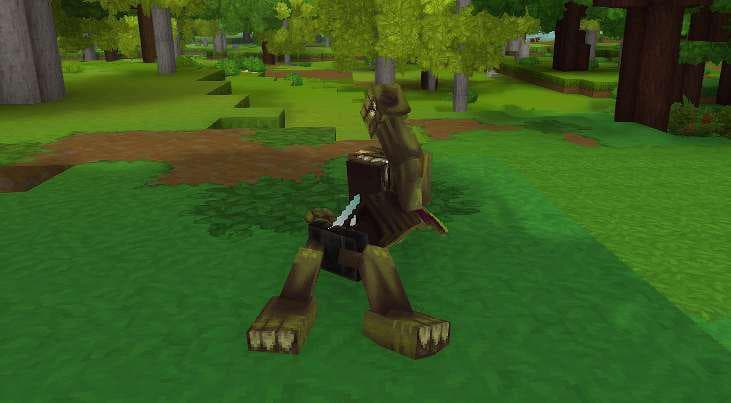
Now that our ogre can whack those pesky scrappers, the time has come to address the rat in the room: grabbing other NPCs is hard. Just in general. We don't have that kind of capability in tech and there's no guarantee we will either.
A quick chat with our designers resulted in the following specification:
- Spawn a rat at some location.
- Have it run past the goblin.
- Have it animate to grab the rat and eat it.
This clarifies things, but doesn't resolve the problems. To do this, we're going to have to be creative.
First we need to actually spawn the rat somewhere near the ogre and get it to head over to be seized and eaten. We can do something like this by using a form of manual spawn beacon - an entity type which has to be placed in the world and can be triggered by other nearby NPCs on demand. We'll also need to build a small template for the rat itself to get it to move to the ogre.
This seems like a behaviour that could be pretty reusable, so we'll make this template as simple and generic as possible so that it can be used in conjunction with all sorts of NPCs that are meant to grab small creatures and eat them.
We'll call this Template_Edible_Critter.
{
  "Type": "Abstract",
  "KnockbackScale": 0.5,
  "Parameters": {
    "Appearance": {
      "Value": "Rat",
      "Description": "Model to be used"
    },
    "WalkSpeed": {
      "Value": 3,
      "Description": "How fast this critter moves"
    },
    "SeekRange": {
      "Value": 40,
      "Description": "How far this NPC is allowed to be from the target that will eat"
    },
    "MaxHealth": {
      "Value": 100,
      "Description": "Max health for the NPC"
    },
    "NameTranslationKey": {
      "Value": "server.npcRoles.Template.name",
      "Description": "Translation key for NPC name display"
    }
  },
  "Appearance": { "Compute": "Appearance" },
  "StartState": "Idle",
  "MotionControllerList": [
    {
      "Type": "Walk",
      "MaxWalkSpeed": { "Compute": "WalkSpeed" },
      "Gravity": 10,
      "MaxFallSpeed": 8,
      "Acceleration": 10
    }
  ],
  "MaxHealth": { "Compute": "MaxHealth" },
  "Instructions": [
    {
      "Instructions": [
        {
          "Sensor": {
            "Type": "State",
            "State": "Idle"
          },
          "Instructions": [
            {
              "Sensor": {
                "Type": "Beacon",
                "Message": "Approach_Target",
                "TargetSlot": "LockedTarget"
              },
              "Actions": [
                {
                  "Type": "State",
                  "State": "Seek"
                }
              ]
            },
            {
              "ActionsBlocking": true,
              "Actions": [
                {
                  "Type": "Timeout",
                  "Delay": [1, 1]
                },
                {
                  "Type": "Despawn"
                }
              ]
            }
          ]
        },
        {
          "Sensor": {
            "Type": "State",
            "State": "Seek"
          },
          "Instructions": [
            {
              "Sensor": {
                "Type": "Target",
                "TargetSlot": "LockedTarget",
                "Range": { "Compute": "SeekRange" }
              },
              "BodyMotion": {
                "Type": "Seek",
                "SlowDownDistance": 0.1,
                "StopDistance": 0.1
              }
            },
            {
              "ActionsBlocking": true,
              "Actions": [
                {
                  "Type": "Timeout",
                  "Delay": [1, 1]
                },
                {
                  "Type": "State",
                  "State": "Idle"
                }
              ]
            }
          ]
        }
      ]
    }
  ],
  "NameTranslationKey": { "Compute": "NameTranslationKey" }
}
This is a really simple NPC. It allows setting an Appearance, WalkSpeed, and SeekRange so that it can encompass a variety of different critter types. If idle for too long, it'll despawn, otherwise it'll try and seek towards the NPC that's meant to eat it, either from being signalled with a beacon or from being spawned in that specific state with a specific target already defined.
In this case, we want to do the latter, so let's define a variant (Edible_Rat).
{
  "Type": "Variant",
  "Reference": "Template_Edible_Critter",
  "Modify": {
    "Appearance": "Rat",
    "WalkSpeed": 5,
    "MaxHealth": 100,
    "NameTranslationKey": { "Compute": "NameTranslationKey" }
  },
  "Parameters": {
    "NameTranslationKey": {
      "Value": "server.npcRoles.Rat.name",
      "Description": "Translation key for NPC name display"
    }
  }
}
...and a spawn beacon (also called Edible_Rat) that can create it for us.
{
  "Environments": [],
  "NPCs": [
    {
      "Weight": 1,
      "Id": "Edible Rat"
    }
  ],
  "SpawnAfterGameTimeRange": ["PT5M", "PT10M"],
  "NPCSpawnState": "Seek",
  "TargetSlot": "LockedTarget"
}
This simple config will only spawn the rat NPC we defined and will set it to the correct state. The SpawnAfterGameTimeRange parameter is required for the configuration to be used in other contexts, but isn't actually useful to us here.
Now, if we use /spawning beacons add Edible_Rat --manual we can create this spawn beacon ready for our ogre to use! Level designers who want to use this behaviour will need to add this beacon somewhere in the prefab so that the rats can be spawned, but multiple ogres can share the same beacon for this purpose. We can use /spawning beacons trigger to make sure it works!
Now we just need to set up our ogre to actually spawn the rat and fake the interaction between them.
As always, we start by adding the state (CallRat - we're actually going to make it a main state instead of using the originally planned .EatRat substate to take advantage of some existing states and state transitions as we talked about earlier)...
{
	"Sensor": {
		"Type": "State",
		"State": "Eat"
	},
	...
},
{
	"Sensor": {
		"Type": "State",
		"State": "CallRat"
	},
	"Instructions": [ ]
}
...and an action to the random list.
{
	"Type": "Random",
	"Actions": [
		{
			"Weight": 60,
			"Action": {
				"Type": "State",
				"State": ".Guard"
			}
		},
		...
		{
			"Weight": 10,
			"Action": {
				"Type": "State",
				"State": "CallRat"
			}
		}
	]
}
Our CallRat state will just handle triggering the beacon and then waiting for a little while to see if the rat successfully arrives. If it doesn't, we'll reset and go back to pick another idle state.
Faking picking up and eating the rat we'll handle by removing the rat once it gets close enough and then giving the ogre an item to hold just like we did with the previous eat state transition.
The only difference here is the item being eaten (and thus the specific transition itself), so we can actually just make use of the previous Eat state for handling that side of the logic!
Before we can go any further though, we need to define an NPC group (Edible_Rat again) containing our edible rat and make it a parameter on the ogre so it can find it!
{
  "IncludeRoles": ["Edible_Rat"]
}
And now we make this an exposed parameter on the ogre template. While we're at it, let's also add a parameter containing the name of the manual spawn beacon we'll trigger.
"Parameters": {
	...
    "FoodNPCGroups": {
        "Value": ["Edible_Rat"],
        "Description": "The groups of edible NPCs that will come from triggering the beacon"
    },
    "FoodNPCBeacon": {
        "Value": "Edible_Rat",
        "Description": "The spawn beacon to trigger to create an edible NPC"
    },
	...
}
With this done, we can implement the CallRat state logic and test that it works.
{
  "Sensor": {
    "Type": "State",
    "State": "CallRat"
  },
  "Instructions": [
    {
      "Continue": true,
      "Sensor": {
        "Type": "Any",
        "Once": true
      },
      "Actions": [
        {
          "Type": "TriggerSpawnBeacon",
          "BeaconSpawn": { "Compute": "FoodNPCBeacon" },
          "Range": 15
        }
      ]
    },
    {
      "Sensor": {
        "Type": "Mob",
        "Range": 2.5,
        "Filters": [
          {
            "Type": "NPCGroup",
            "IncludeGroups": { "Compute": "FoodNPCGroups" }
          },
          {
            "Type": "LineOfSight"
          }
        ]
      },
      "HeadMotion": {
        "Type": "Watch"
      },
      "ActionsBlocking": true,
      "Actions": [
        {
          "Type": "PlayAnimation",
          "Slot": "Status",
          "Animation": "Swipe"
        },
        {
          "Type": "Timeout",
          "Delay": [0.1, 0.1],
          "Action": {
            "Type": "Sequence",
            "Actions": [
              {
                "Type": "Remove"
              },
              {
                "Type": "State",
                "State": "Eat"
              }
            ]
          }
        }
      ]
    },
    {
      "Continue": true,
      "Sensor": {
        "Type": "Mob",
        "Range": 5,
        "Filters": [
          {
            "Type": "NPCGroup",
            "IncludeGroups": { "Compute": "FoodNPCGroups" }
          },
          {
            "Type": "LineOfSight"
          }
        ]
      },
      "HeadMotion": {
        "Type": "Watch"
      }
    },
    {
      "Reference": "Component_Step_State_Timeout",
      "Modify": {
        "_ExportStates": ["Idle"],
        "Delay": [10, 15]
      }
    }
  ]
}
The logic here is pretty straightforward - we start by triggering the beacon we defined in the parameters exactly once and continuing (as defined by the Continue and Once flags). We then wait for the edible NPC matching the list of groups we provided in the parameter (which contains only our edible rat in this instance) to get close enough to grab and then play an animation with a brief delay before removing it and moving to the Eat state. We watch it for a little bit until it gets close enough so it doesn't look too bad. Note how that last pair of actions (enclosed in a sequence) is not marked as blocking - both will execute in the same tick.
If the rat never arrives, we give it about 10-15 seconds before giving up and returning to Idle.
Now that it's working, let's implement the state transitions to make this goblin actually 'grab' the rat and start eating it. We don't have the 'rat' item yet, so we'll just use a different item as a placeholder for now.
We need to define this in the parameters too.
"Parameters": {
	...
    "FoodNPCItem": {
        "Value": "Food_Cheese",
        "Description": "The edible NPC in item form"
    },
	...
}
And then a single state transition from CallRat to Eat.
{
  "States": [
    {
      "From": ["CallRat"],
      "To": ["Eat"]
    }
  ],
  "Actions": [
    {
      "Type": "Inventory",
      "Operation": "SetHotbar",
      "Item": { "Compute": "FoodNPCItem" },
      "Slot": 2,
      "UseTarget": false
    },
    {
      "Type": "Inventory",
      "Operation": "EquipHotbar",
      "Slot": 2,
      "UseTarget": false
    }
  ]
}
This isn't perfect, but it'll do for now and we can always come back and tweak things later. With that, we're done with both the idle and inter-NPC behaviours. Next we move on to combat and reacting to players!