


Props
Localized content that can read and write to the world.
Cuboid
Places a cuboid made from the provided materials.
Parameters
| Name | Type | Description |
|---|---|---|
| Bounds | Bounds | Size of the cuboid. |
| Material | MaterialProvider slot | The materials the cuboid is made of. |
Manual
Places manually configured blocks.
Parameters
| Name | Type | Description |
|---|---|---|
| Blocks | Positioned block | Block relative to the Prop's anchor. |
Locator
Locates a valid position using a Pattern and a Scanner.
Parameters
| Name | Type | Description |
|---|---|---|
| Prop | Prop slot | Prop to place at valid positions. |
| Pattern | Pattern slot | Defines what valid locations look like. |
| Scanner | Scanner slot | Scans relative to the anchor for valid locations. |
| PlacementCap | Integer ≥ 0 | Limits the number of valid locations in which the child Prop is generated. |
Orienter
Locates valid positions and orients the child Prop accordingly.
Automatically checks the Pattern in different rotations and rotates the child Prop accordingly.
Parameters
| Name | Type | Description |
|---|---|---|
| Prop | Prop slot | Prop to place at valid positions. |
| Rotations | list of Rotations | Possible rotations. |
| Pattern | Pattern slot | Defines what valid locations look like. |
| Scanner | Scanner slot | Scans relative to the anchor for valid locations. |
| SelectionMode | String ( | Determines which valid rotation is generated:
|
| Seed | String | Determines which position is picked if |
Queue
Places the first Prop in the list that generates, and skips the rest.
Parameters
| Name | Type | Description |
|---|---|---|
| Props | list of Prop slots | Ordered list making up the queue. |
Mask
Masks the blocks placed by the child.
Parameters
| Name | Type | Description |
|---|---|---|
| Prop | Prop slot | Prop to mask. |
| Mask | BlockMask | Determines which materials are allowed to be placed. |
StaticRotator
Rotates the child Prop by a static Rotation.
Parameters
| Name | Type | Description |
|---|---|---|
| Prop | Prop slot | Prop to rotate. |
| Rotation | Rotation | Child Prop's rotation relative to this Prop's direction. |
RandomRotator
Rotates the child Prop by a random Rotation.
Parameters
| Name | Type | Description |
|---|---|---|
| Prop | Prop slot | Prop to rotate. |
| Rotations | list of Rotations | The rotations to pick from. |
| HorizontalRotations | Boolean | Reduces the need to define four extra nodes for all X/Z rotations by adding them all automatically. Don’t use the Rotations pin if you enable this. |
| Seed | String | Determines which Rotation to pick. |
DensitySelector
Selects a child Prop based on a Density field.
The first delimiter whose range contains the Density value at the Prop’s position determines the child Prop to use.
Parameters
| Name | Type | Description |
|---|---|---|
| Delimiters | list of Delimiters | Determines which Prop is selected for which regions of the Density field. |
| Density | Density slot | The Density field. |
Density
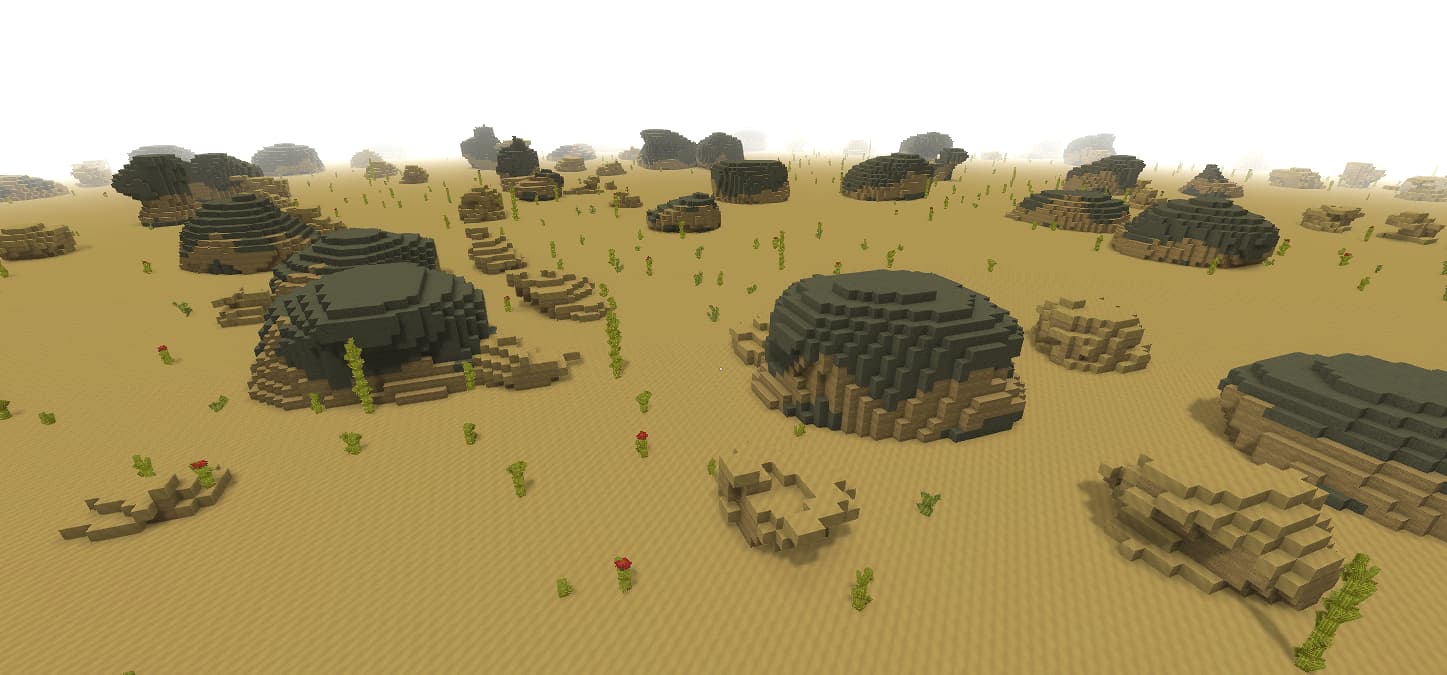
Generates a Prop from a Density field and a MaterialProvider asset.
Below is an example of terrain with smaller dirt boulders on top of large stone ones.
Parameters
| Name | Type | Description |
|---|---|---|
| Bounds | Bounds | The maximum reach. |
| Density | Density asset slot | Gives shape to the Prop. |
| Material | MaterialProvider asset slot | Determines the block types to use. |
Prefab
Places a Prefab from the weighted paths.
Parameters
| Name | Type | Description |
|---|---|---|
| WeightedPrefabPaths | list of weighted paths to files or folders containing prefabs | Each path entry contains the keys below. |
| WeightedPrefabPaths[].Path | string | Path to the folder or file to load from. |
| WeightedPrefabPaths[].Weight | number (> 0) | Weight for placing a prefab from this path. If the path points to a folder, the weight applies to the folder pick. Once picked, all prefabs inside have an equal chance. |
Union
Places all the Props in the provided list at the same position, one after another.
Parameters
| Name | Type | Description |
|---|---|---|
| Props | list of Prop slots | Props to place together. |
Offset
Offsets the position of the child Prop.
Parameters
| Name | Type | Description |
|---|---|---|
| Offset | 3D integer vector | The direction in which to offset the child Prop’s position. |
| Prop | Prop slot |
Weighted
Picks a Prop to place based on a seed and weights.
Parameters
| Name | Type | Description |
|---|---|---|
| Entries | list of weighted Prop entries | Each entry contains Weight and Prop. |
| Entries[].Weight | number (> 0.0) | |
| Entries[].Prop | Prop slot | |
| Seed | string | The seed determining which Prop is picked. This seed also mutates the seed passed to the children. |
PondFiller
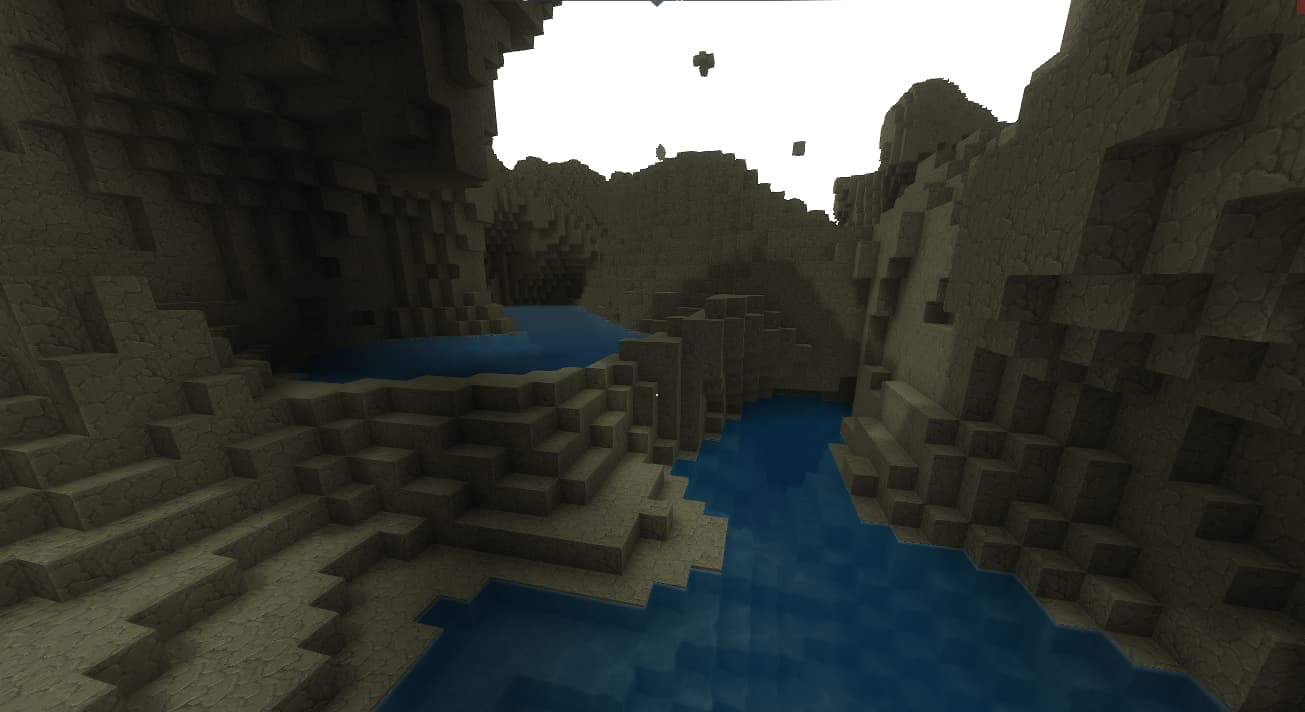
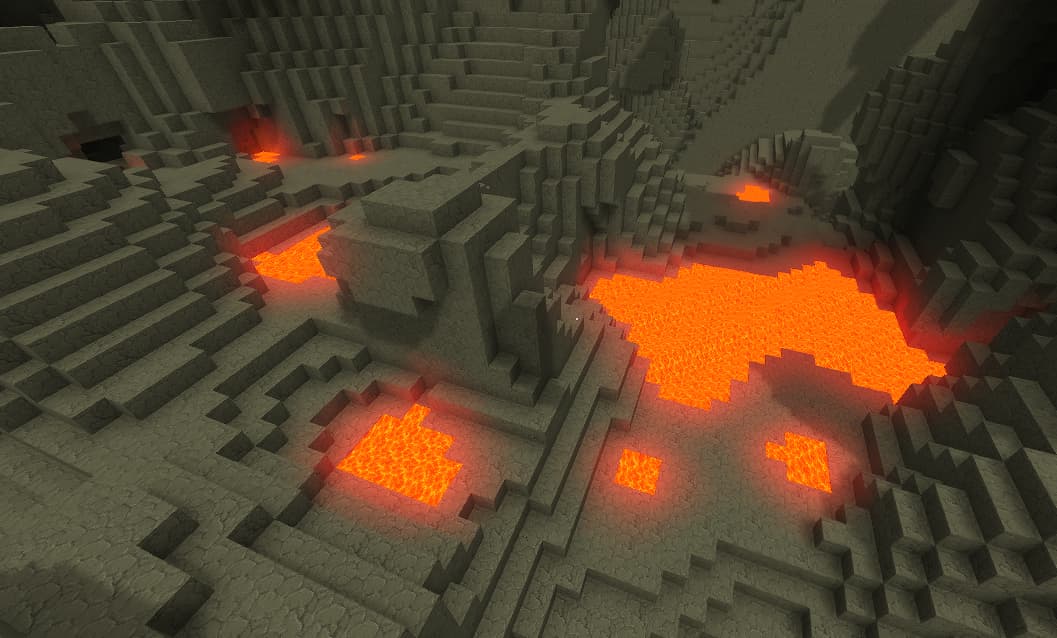
Fills depressions in the terrain with the provided MaterialProvider.
The screenshots below show a few examples of ponds generated with this Prop.
You can configure the bounding box inside which it will identify and fill existing terrain depressions. The bounding box’s size and shape determine how large the resulting ponds can be.
The diagram below shows how the bounding box defines the outcome.
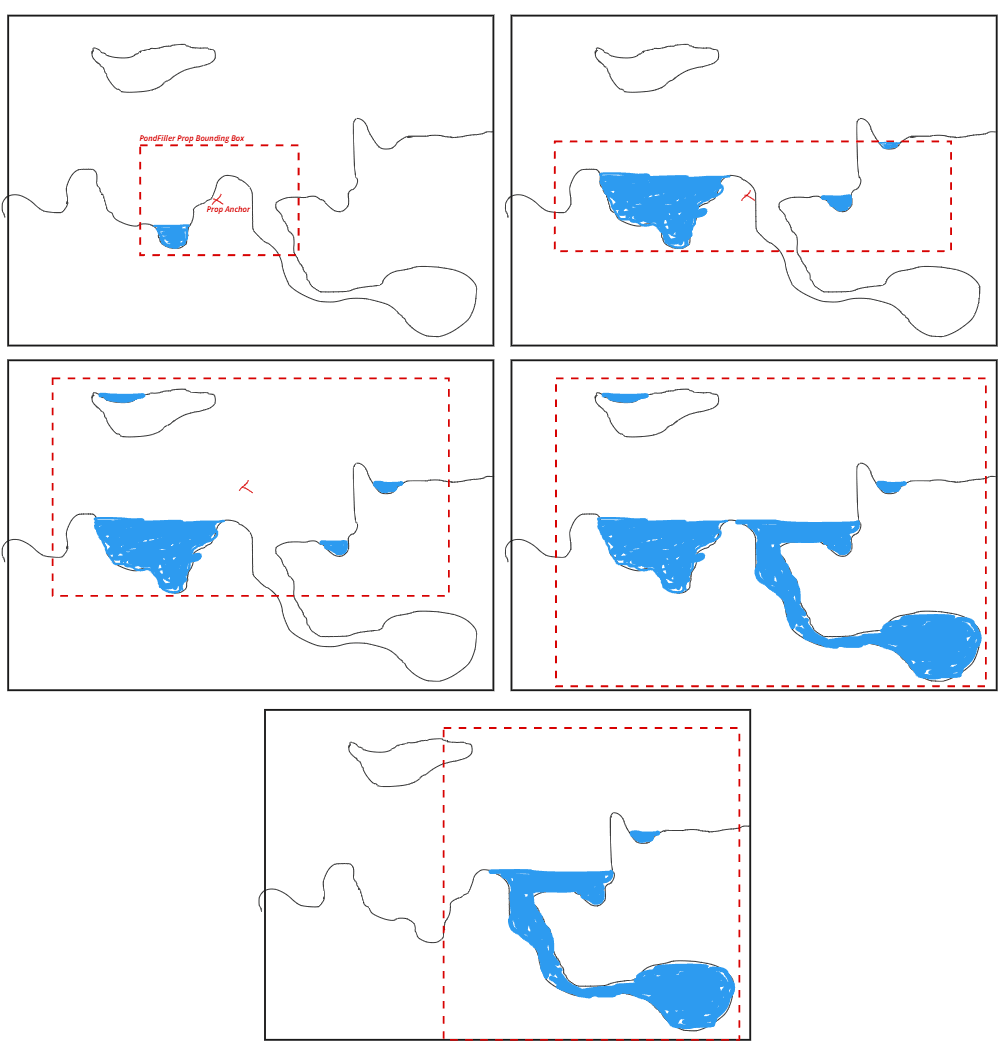
The ponds that fit inside that bounding box are filled with the MaterialProvider.
The BarrierBlockSet defines what the walls of the depressions are made of.
Important: The performance impact of this Prop can be relatively high depending on the size of its bounding box. Because of that, I recommend optimizing the size of its bounding box for each use case.
Parameters
| Name | Type | Description |
|---|---|---|
| Bounds | Bounds | The Prop's reach. |
| BarrierBlockSet | BlockSet asset slot | Defines the types of blocks that can make up the solid terrain, through which the pond material cannot seep. |
| FillMaterial | MaterialProvider asset slot | Determines the types of blocks used when filling up the ponds (for example, water). |
Imported
Imports an exported Prop.
Parameters
| Name | Type | Description |
|---|---|---|
| Name | string | The exported Prop name. |